Planning a yard can be difficult when you know what you want but cannot picture how it will look. An empty lawn, an awkward corner, or an outdated patio may have potential that is hard to see without a design.
AI landscape tools can turn a photo of your yard, a sketch, or a written description into visual design ideas in minutes. You can explore different garden styles, compare patio layouts, and imagine new planting beds without starting with a professional rendering.
However, an AI-generated image is a starting point, not a construction-ready landscape plan. It may show plants that will not thrive in your climate, paths that do not fit your property, or materials in unrealistic quantities. Before spending money or starting work, you need to check the design against your actual space, growing conditions, budget, and safety requirements.
Here is how to choose an AI landscape design tool, create useful yard concepts, and turn the most promising image into a practical plan.
Short Definition
AI landscapes use artificial intelligence to turn yard photos, sketches, or prompts into outdoor design concepts. Use them to explore ideas, then verify measurements, plant suitability, drainage, and materials before starting work.
Experience
Start with one clear yard photo and one specific goal, such as adding a seating area or simplifying a planting bed. Compare a few AI-generated concepts, but measure the space and verify plant choices independently before buying anything.
What Are AI Landscapes, and What Can They Help You Do?
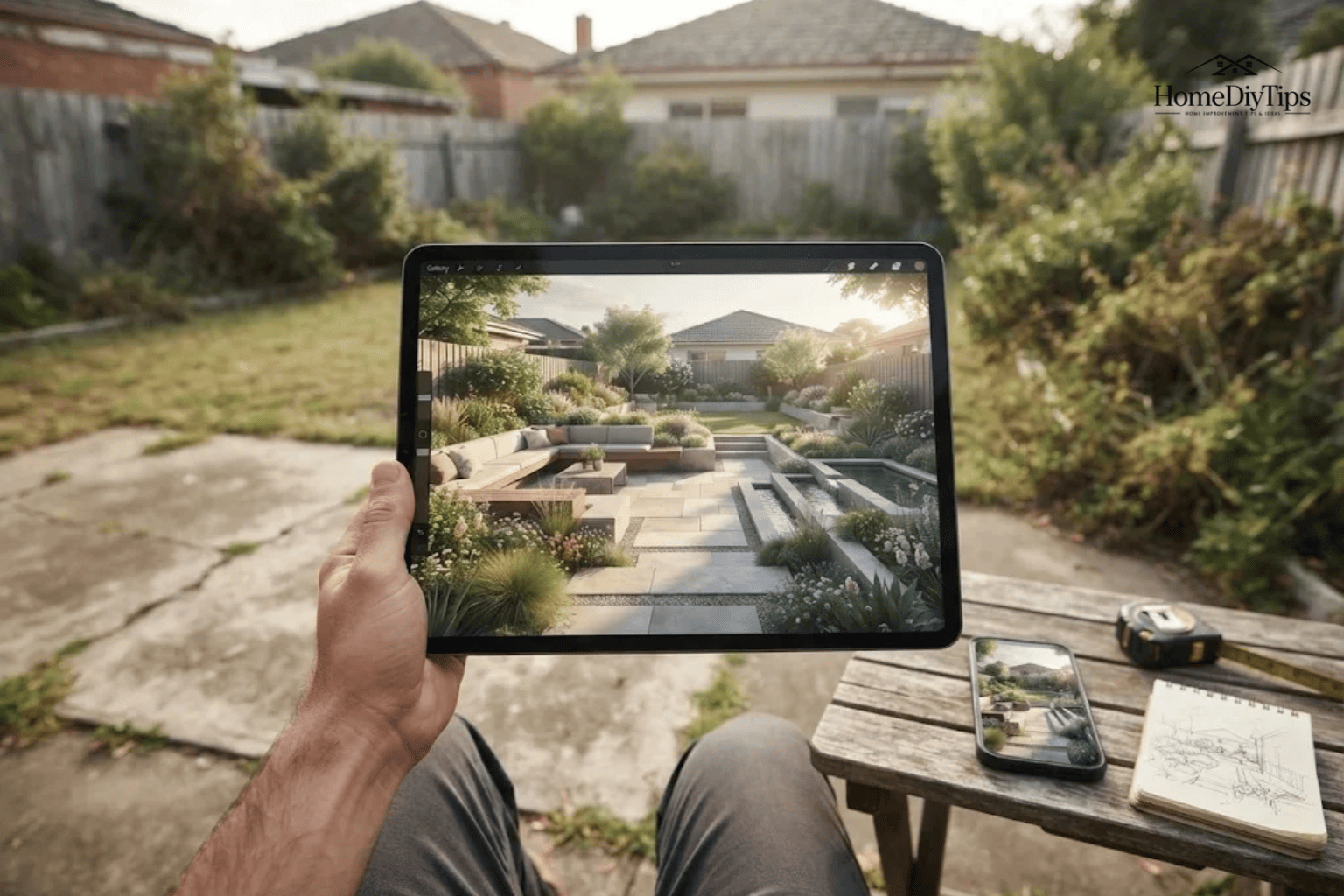
AI landscapes are digital representations of outdoor spaces created or modified with artificial intelligence. Depending on the tool, you can upload a yard photo, provide a rough sketch, or describe a design in text. The software then generates an image showing a possible version of your outdoor space.
For example, a photo of a plain backyard might become a concept featuring a curved garden bed, a small seating area, ornamental grasses, and a stone walkway.
You can also use AI to explore alternatives. One version might show a modern garden with clean lines, while another uses informal planting and natural materials. Comparing these images can help you decide which direction feels right before you buy plants or materials.
Common uses include:
- Garden makeovers: Explore new planting beds, lawn shapes, shrubs, and flower combinations.
- Patio planning: Visualize seating areas, paving, outdoor dining spaces, and shade structures.
- Walkways and entrances: Compare path materials, edging, and planting around the front door.
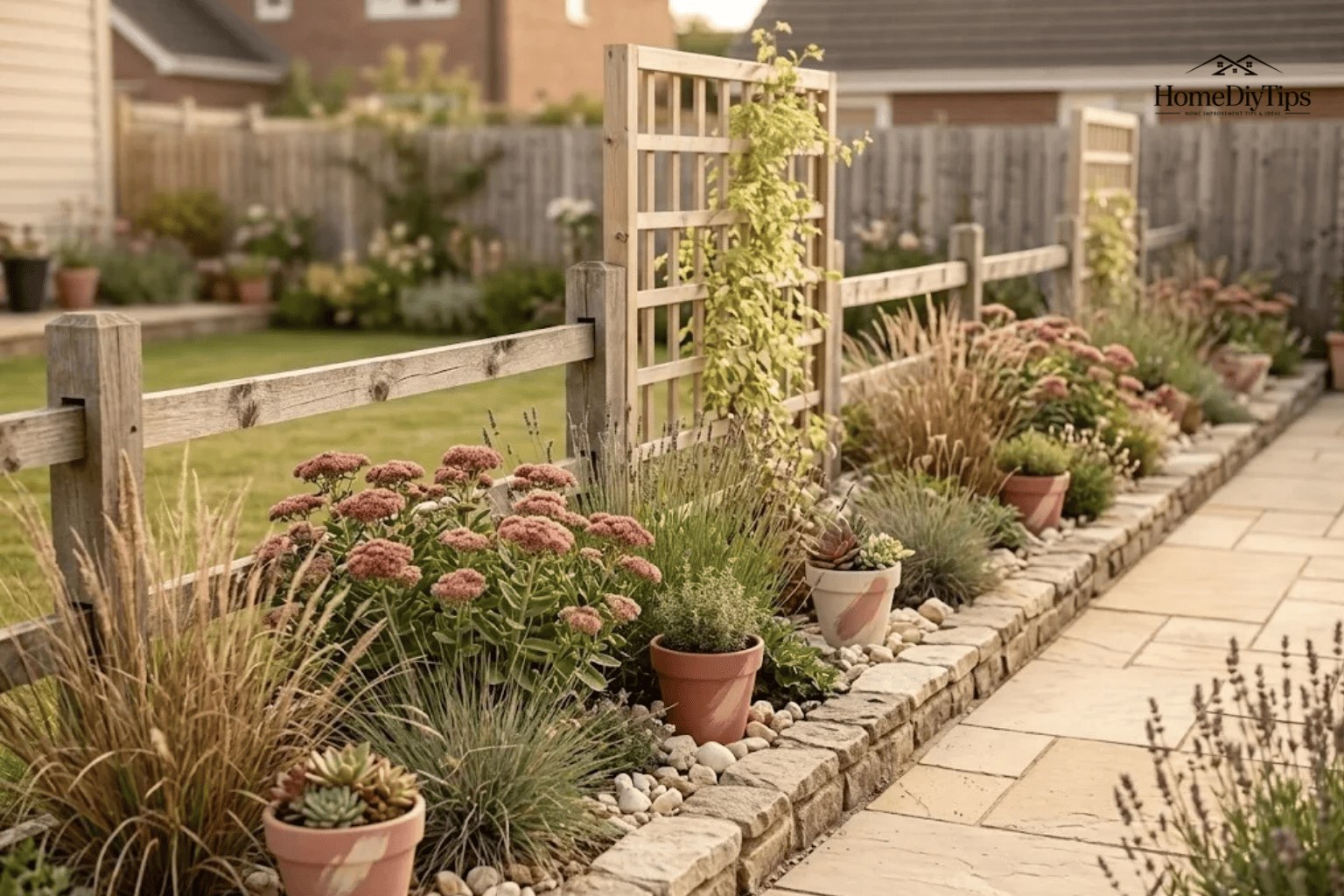
- Privacy improvements: Explore screens, hedges, trellises, and other ways to create a more secluded space.
- Low-maintenance concepts: Investigate ideas involving fewer lawn areas, mulched beds, drought-tolerant plants, or simpler layouts.
- Lighting and atmosphere: Imagine how outdoor lighting might change the appearance of a garden or patio.
The main benefit is easier visual decision-making. Instead of trying to imagine every change, you can compare several possible looks.
The important distinction is that a convincing picture does not prove that the design will work. AI can help you decide what you like, but measurements, plant research, drainage checks, and construction planning still require separate attention.
How AI Landscape Design Works
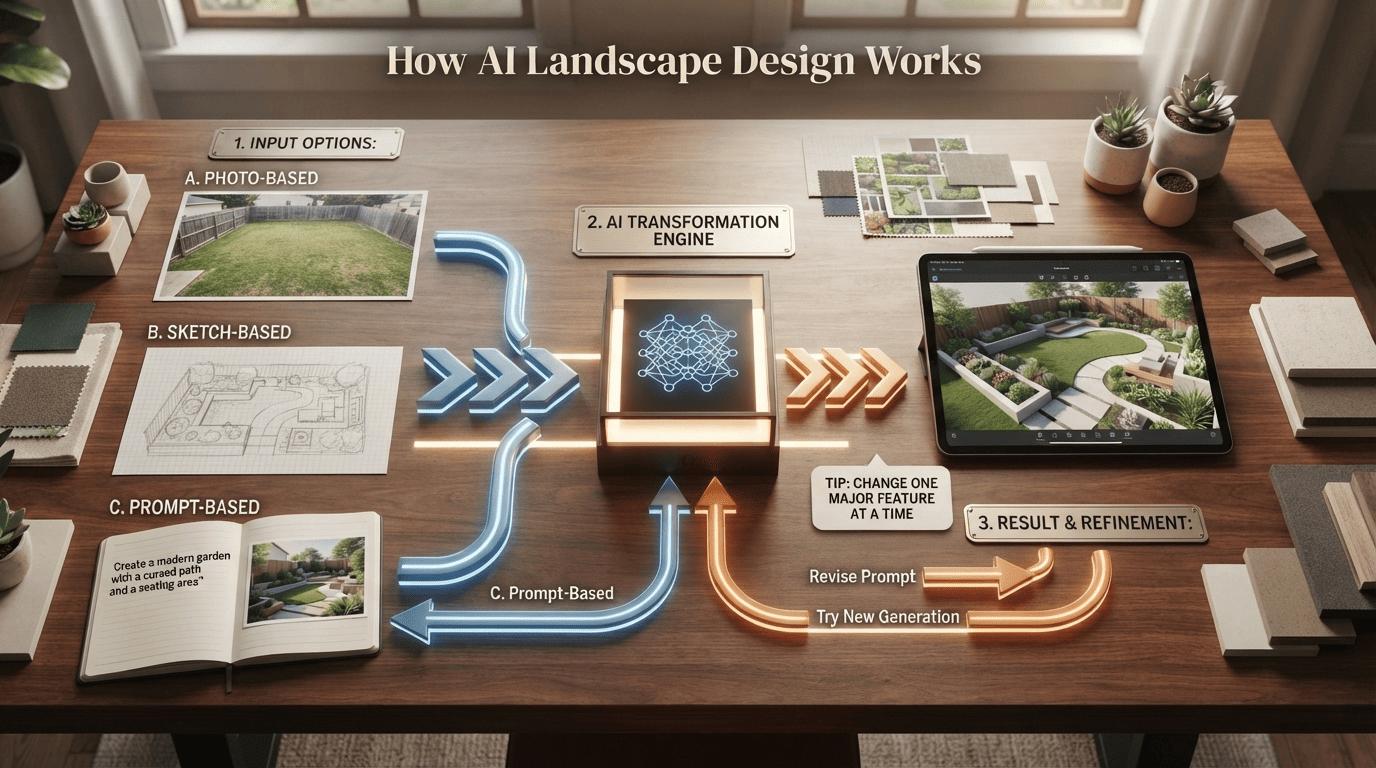
Most AI landscape design workflows follow a similar pattern: provide an image or description, select the type of transformation you want, generate a concept, and refine the result.
Photo-Based, Sketch-Based, and Prompt-Based Design
The best starting method depends on what you already have.
Photo-based design works well when you want to improve an existing yard. You upload a picture and describe the changes you want, such as replacing part of a lawn with planting beds or adding a small patio.
This method gives the AI a visual reference for the current space. However, perspective can distort distances, and the software may change existing structures or invent details.
Sketch-based design is useful when you have a rough layout in mind. A simple drawing showing the house, lawn, proposed paths, and planting areas can communicate your intentions more clearly than a written description alone. Some tools support sketches or plans, but the amount of control varies.
Prompt-based design starts with a written description. You might ask for a small cottage-style front garden with colorful flowers, a curved path, and space for a bench. This approach is useful for exploring broad ideas, especially when you do not have a suitable photo.
Some tools combine these methods. Others focus on visualizing images rather than creating a structured landscape plan.
What to Include in a Landscape Design Prompt
A useful prompt explains the purpose of the space, the desired appearance, and the features that must remain unchanged.
Include these details where relevant:
- The project: Describe whether you are updating a front yard, backyard, side garden, or patio.
- The intended use: Explain whether the area is for relaxing, entertaining, gardening, children’s play, or easier maintenance.
- The style: Name a design direction, such as modern, cottage, naturalistic, or Mediterranean-inspired.
- The main features: Specify paths, seating, planting beds, lawn areas, privacy screens, or lighting.
- Existing conditions: Mention trees, fences, doors, windows, utility equipment, and other features that should remain.
- Practical preferences: Describe your interest in low-maintenance planting, water-efficient landscaping, or a modest project.
For example, you could use this prompt:
Redesign this backyard as a simple, low-maintenance garden with a small seating area, a clear walkway from the back door, and planting beds along the fence. Keep the existing house, fence, mature tree, and access points. Use natural-looking materials and a restrained mix of green foliage and seasonal flowers. Show a realistic design concept rather than adding large structures.
Treat the result as a visual suggestion. If the AI moves a tree, changes the shape of your house, or creates a walkway through an unusable area, revise the prompt or try another generation.
A useful tip is to change one major feature at a time. If you change the garden style, paving, plant palette, patio, and lighting simultaneously, it becomes harder to identify which change improved the design.
What Landscape Ideas Can You Explore With AI?
AI landscape tools are particularly useful when you are unsure which style or layout suits your property. You can compare several concepts before committing to one.
Modern and minimalist
This style uses clean lines, restrained planting, and simple materials. It may suit homeowners who prefer an orderly appearance and clearly defined outdoor areas.
Check whether the paving, drainage, and plant choices suit the site. A minimalist image can also hide the maintenance needed to keep edges and surfaces looking neat.
Cottage garden
Informal paths, mixed flowers, and layered planting create a relaxed look. AI can help you explore color combinations and decide where taller plants or a small seating area might fit.
Check mature plant sizes and flowering seasons so the finished garden does not become overcrowded or lose its appeal after one season.
Japanese-inspired garden
Natural stone, carefully placed plants, restrained colors, and open space can create a calm atmosphere. This direction may suit a small courtyard or a quiet garden corner.
Focus on the design principles you like rather than assuming every plant shown will grow well in your region.
Mediterranean-inspired landscaping
Gravel, terracotta, textured foliage, and informal planting can suggest a warm, relaxed outdoor setting. It may inspire ideas for a sunny area or a water-conscious garden.
Choose plants based on your actual winter temperatures, rainfall, soil, and water availability. A Mediterranean appearance does not require using plants from the Mediterranean region.
Naturalistic or drought-conscious garden
Grasses, flowering perennials, mulch, and informal groupings can inspire a less lawn-dependent design. This can be useful if you want to reduce routine watering or mowing.
Water needs depend on local conditions and how the plants are established. A drought-conscious design still needs suitable species, correct placement, and care during establishment.
You can also use AI to compare practical changes rather than complete styles. For instance, generate one version with a larger lawn and another with more planting beds. Compare a paved patio with a gravel seating area, or test different locations for a garden bench.
Choose ideas that solve a real problem in your yard. An attractive style is useful only if it also supports the way you want to use the space.
How to Choose an AI Landscape Design Tool
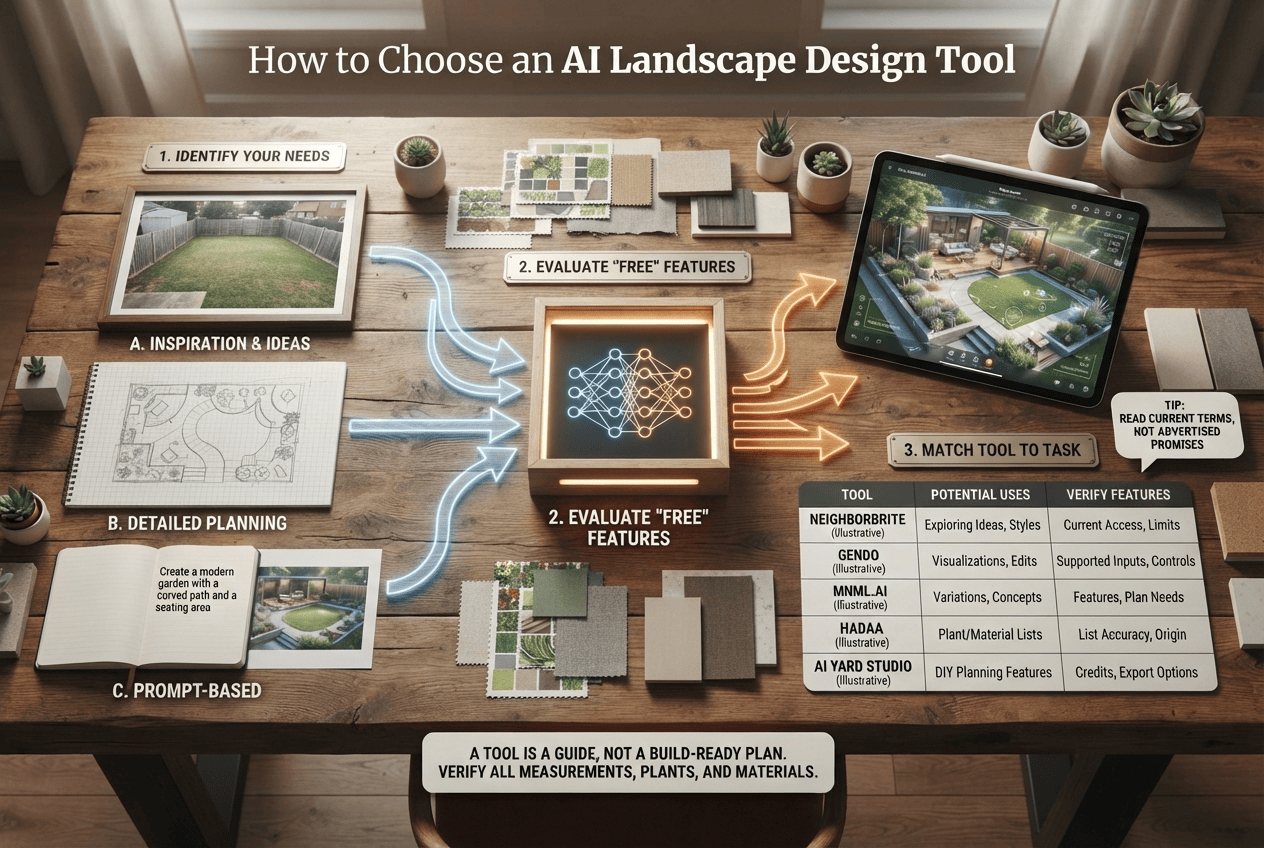
Not every AI tool offers the same features. Some focus on turning photos into attractive concepts, while others advertise additional capabilities for planning, plant selection, or materials.
Start by identifying what you need. If you only want inspiration, a simple photo-based generator may be enough. If you want to develop a more detailed project, you may need a separate drawing tool, a reliable plant reference, or professional advice.
Free AI Landscape Design Tools: What to Check
A free AI landscape generator can be a sensible starting point, but the word “free” can mean different things.
A service may offer a limited number of generations, a trial, free account credits, or basic access with paid upgrades. Before uploading your photos or creating an account, check:
- How many designs you can generate without paying.
- Whether photo uploads are included.
- Whether you can save or download your images.
- Whether high-resolution exports or additional edits require payment.
- Whether the service adds watermarks.
- What happens to uploaded photos and other personal data.
- Whether the tool clearly explains recurring charges or one-time payments.
Do not assume that a free tool provides every advertised feature at no cost. Read the current terms on the provider’s own website, because plans and pricing can change.
For a small garden refresh, free access may provide enough ideas to choose a direction. If you need many variations or specific export features, a paid option might be worthwhile. Neither choice guarantees a build-ready plan.
Which Tool Features Matter for Your Project?
The following tools are useful starting points for exploring AI landscape design. This is a feature-oriented overview, not a controlled test or ranking of their output quality. Product capabilities described by providers should be verified on their current pages before you rely on them.
| Tool | Potentially useful for |
What to verify |
|
Neighborbrite |
Exploring yard-design ideas from photos |
Current free access, available styles, and download limits |
| Creating landscape visualizations from photos or sketches |
Supported input types, editing controls, and intended workflow |
|
| Exploring visual variations and landscape concepts |
Current features, image controls, and plan requirements |
|
|
Hadaa |
Exploring designs with advertised planting or materials-planning features |
Whether plant lists and quantities are available for your project and how they are calculated |
|
AI Yard Design Studio |
Photo-based yard concepts and advertised DIY planning features |
Current credits, pricing, export options, and planning capabilities |
|
ChatGPT image generation |
Developing or editing a visual concept using a photo and written instructions | Available image features, upload access, and whether the output preserves important details |
A tool that advertises plant lists or material quantities may help organize your next steps, but those outputs still need checking. Do not order materials or purchase plants solely because an AI-generated list says you need a particular amount.
ChatGPT can help you develop visual concepts and refine instructions, but you should not treat a generated image as a measured site plan. If you need exact boundaries, elevations, construction dimensions, or reliable quantities, use appropriate planning methods in addition to image generation.
The most suitable tool is the one that helps you answer your next question without adding unnecessary cost or complexity.
How to Create an AI Landscape From Your Yard Photo
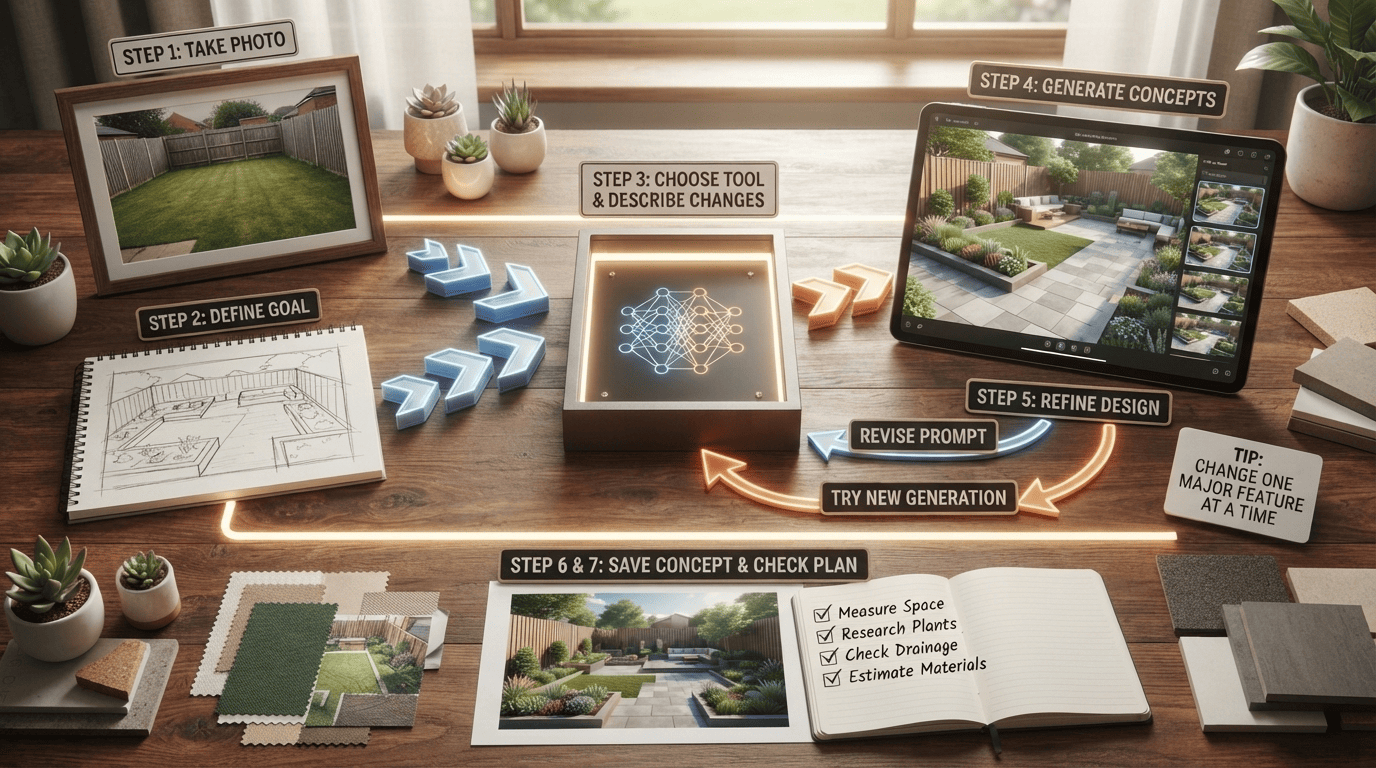
You do not need a perfect garden photo or a detailed professional plan to begin. A clear starting image and a specific goal are often enough to explore useful possibilities.
Step 1: Take a Clear Photo of the Area
Photograph the yard from a position that shows the space you want to change. For a backyard, a view from the house or a corner may show the lawn, fence, existing trees, and access points.
If the area is awkwardly shaped, take more than one photo. A close-up can help show a narrow planting bed or an unused corner, while a wider view provides context.
Before uploading, remove or crop out personal details you do not need to share. Home photos may reveal addresses, faces, vehicle plates, or other identifying information. Check the tool’s privacy terms and avoid uploading sensitive images unnecessarily.
Step 2: Decide How the Space Should Work
Before choosing a style, write down what you want to improve.
Perhaps the front yard looks bare, the backyard has no comfortable seating, or mowing a large lawn takes too much time. A clear goal helps you judge whether a generated design is genuinely useful.
Choose one main priority and, if needed, one secondary priority. For example:
- Main priority: create a small seating area.
- Secondary priority: reduce the amount of lawn that needs mowing.
This is more useful than asking for a complete transformation without explaining what you want to achieve.
Step 3: Choose a Tool and Describe the Changes
Select a photo-based generator or another tool that supports your preferred input method. Upload the image and describe the design direction.
Be explicit about features that must stay. If a mature tree provides shade or a gate must remain accessible, say so. If you do not want to change the existing patio, include that instruction too.
Keep the initial request focused. A prompt that asks for a seating area, new paths, a pond, a pergola, privacy screens, lighting, and several new garden beds may produce a dramatic image but make it difficult to judge individual ideas.
Step 4: Generate Several Concepts
If your tool allows it, create a few alternatives for the same goal.
For example, you could compare:
- A small patio surrounded by planting beds.
- A gravel seating area with simple edging.
- A lawn-centered layout with a narrower planting border.
Compare the concepts based on how well they address your original problem, not just which image looks most impressive.
Notice whether the main features remain recognizable and whether the design preserves access to doors, gates, and existing structures. If the tool repeatedly changes important features, treat its images as general inspiration rather than accurate representations of your property.
Step 5: Refine the Most Promising Design
Choose the concept that best fits your needs and request one focused change at a time.
You might ask the tool to simplify the planting, reduce the size of the seating area, use fewer colors, or make the pathway more direct.
Compare each new version with the original photo. Some image tools may invent details, remove existing objects, or change proportions as they edit. A visually polished result is not necessarily a more accurate one.
If an important detail keeps changing, record the idea separately instead of repeatedly trying to force the image to represent it correctly.
Step 6: Save the Concept and Record the Real Details
Save the image that best expresses your preferred design. Then make a simple list of the features you want to investigate.
For example:
- A planting bed along one fence.
- A small seating area near the back door.
- A path connecting the patio and garden gate.
- Lower-maintenance plants suited to the location.
The list matters because it separates the visual concept from the actual project requirements. You can measure the space, research suitable plants, and estimate materials without needing the AI image to provide every technical answer.
Step 7: Check the Plan Before Spending Money
Measure the relevant area and compare your measurements with the proposed layout. Research plant choices, inspect drainage, and calculate material quantities independently.
If the design includes grading, retaining walls, drainage changes, electrical work, or other substantial construction, determine what specialist advice and local approvals may be required.
The next step is not automatically to buy everything shown in the image. It is to decide which parts are feasible, which need adjustment, and which are worth professional input.
How to Check Whether an AI Landscape Will Work in Real Life
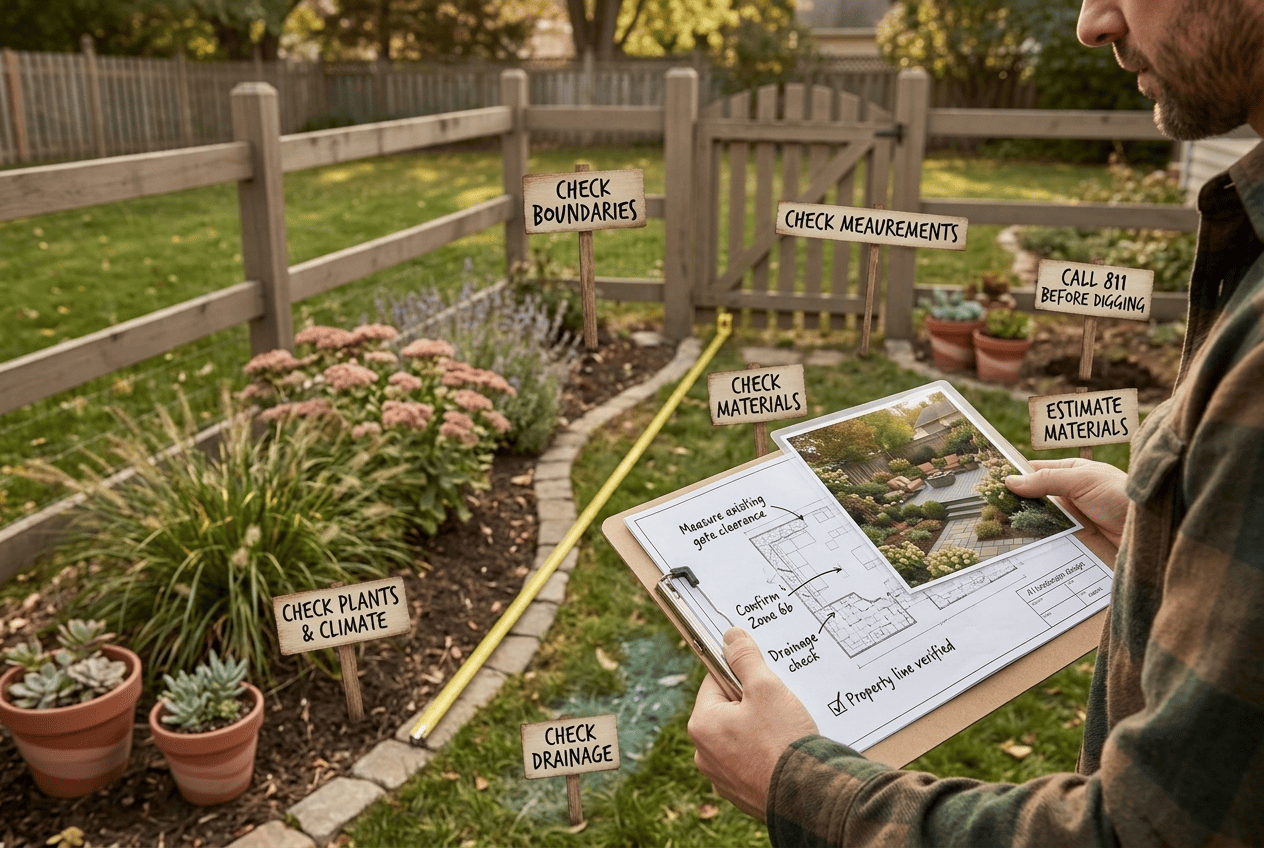
The most important part of AI landscape design happens after you find a concept you like. A yard is a physical space with boundaries, changing weather, living plants, water movement, and practical constraints that an image cannot reliably establish.
Check Measurements, Boundaries, and Existing Features
Start with the size and shape of the area you want to change.
Measure the length and width of a proposed patio, the width of a path, and the dimensions of planting beds. For irregular areas, divide the space into simpler shapes and measure each part. Sketch the house, fence, gates, trees, steps, and other fixed features.
Compare the sketch with the AI image.
Ask yourself:
- Does the seating area leave enough room to move around?
- Can doors and gates open fully?
- Will the path connect the places people actually need to reach?
- Are existing trees, utility equipment, and drainage features accounted for?
- Does the design stay within the property boundary?
An image may make a small area appear much larger than it is. A broad patio or densely planted border can look attractive in a rendering but leave too little usable space when measured.
Do not assume that a visible boundary in a photograph accurately represents your legal property line. Confirm boundaries through appropriate records or professional guidance when the project depends on them.
Check Plants, Climate, Soil, and Sunlight
AI-generated plant combinations often prioritize appearance. Before choosing any plant shown in a design, confirm that it can grow in the conditions available in your yard.
In the United States, the USDA Plant Hardiness Zone Map is a useful starting point. It describes zones based on average annual extreme minimum winter temperatures. It does not tell you everything about a plant’s needs, so use it alongside local gardening guidance.
Check these factors for each plant you are considering:
- Sunlight: Does the location receive full sun, partial shade, or mostly shade?
- Soil: Is the soil sandy, clay-heavy, compacted, or otherwise unsuitable for the proposed plant?
- Moisture and drainage: Does the area dry quickly, stay damp, or collect water after rain?
- Climate: Can the plant tolerate local winter temperatures and summer conditions?
- Mature size: How tall and wide will it become when fully grown?
- Spacing: Will neighboring plants have enough room for healthy growth?
- Maintenance: Does it require regular pruning, watering, seasonal cleanup, or other care?
A shrub that looks small in a generated image may eventually block a window or narrow a walkway. A tree placed too close to a building may become difficult to manage as it grows.
Use a regional university extension service for practical advice about plant selection and site preparation. For example, the University of Minnesota Extension’s guidance on planting trees and shrubs explains why site conditions and proper planting matter. Apply advice to your local conditions rather than assuming Minnesota-specific guidance fits every US region.
Check Drainage, Materials, Costs, and Safety
A good landscape design should work with water movement rather than simply cover areas where water collects.
Look at your yard after rain, if possible. Notice where water flows, where it stands, and whether it moves toward the house or a neighboring property. A new patio, path, or raised planting bed can change how water moves across the site.
Do not use an AI rendering to decide final grading or drainage solutions. Major changes to ground levels, retaining walls, and drainage systems can affect buildings and nearby properties. Seek qualified help when the work involves substantial earthmoving, structural concerns, or persistent drainage problems.
Next, estimate the materials you actually need.
For a rectangular patio, multiply the measured length by the width to estimate the area. For example, an area measuring 10 feet by 12 feet covers 120 square feet. The quantity of pavers or other materials will depend on their dimensions, the installation pattern, cutting waste, and the manufacturer’s guidance.
For planting beds, measure the area and use the recommended plant spacing to estimate how many plants fit. Do not copy the number of plants shown in the image. AI may place them too close together or depict mature plants at unrealistic sizes.
Your budget should distinguish between:
- Software or design-service charges.
- Plants, soil amendments, mulch, and other planting materials.
- Pavers, gravel, edging, and other hardscape materials.
- Delivery, equipment rental, and waste removal.
- Labor, permits, and specialist services where applicable.
Actual costs vary with location, product quality, site access, project size, and installation requirements. Get current local quotes before committing to a substantial project.
Finally, check safety and property requirements. Before digging, use call 811 to learn how to request underground utility marking in your area. Follow the applicable state process and wait for the required markings before excavation. Utility marking does not replace the need to identify private lines or comply with other site-specific requirements.
Depending on the work, you may also need to check local rules, homeowners association restrictions, permits, or requirements for structures and drainage changes.
A design is ready for the next stage when its layout fits the measured space, its plant choices suit local conditions, its material quantities have been checked, and its safety and approval requirements are understood.
Common AI Landscape Design Mistakes to Avoid
AI can speed up early planning, but a few common mistakes can turn a useful concept into an expensive or impractical project.
Treating the image as a measured plan. Perspective and generated proportions can make a patio, path, or planting bed look different from its real dimensions. Measure the space independently.
Choosing plants based only on appearance. A beautiful planting combination may include species that need different growing conditions. Verify each plant’s climate suitability, sunlight needs, soil preferences, mature size, and maintenance requirements.
Ignoring mature plant size and spacing. Small plants may eventually crowd each other, block access, or obscure windows. Plan for their mature dimensions rather than their appearance in the generated image.
Trusting AI-generated material quantities. An image cannot reliably tell you how much gravel, soil, mulch, or paving you need. Calculate quantities from measurements and product specifications.
Overlooking drainage and utilities. A design may cover a low spot or place excavation near underground services. Check water movement and arrange utility marking before digging.
Paying for features you do not need. If your goal is to compare garden styles, you may not need a subscription with advanced planning features. Try available free access first and upgrade only when a specific limitation prevents you from completing your task.
Changing too many things at once. Large, complicated prompts can produce inconsistent results. Begin with the most important improvement, compare a few concepts, and refine the preferred option gradually.
The best way to avoid these problems is to use AI for visual decisions and reliable measurements, local guidance, and professional advice for the decisions that affect the actual property.
Frequently Asked Questions About AI Landscapes
Can AI design my landscape for free?
Yes. Some AI landscape tools advertise free access, trial generations, or free credits that let you explore yard-design ideas without an initial payment. The number of designs, download options, and available features may be limited. Check the current terms before signing up, and remember that free image generation does not necessarily include a measured plan or reliable plant and material quantities.
Can ChatGPT design a landscape?
ChatGPT can help develop landscape concepts, suggest design directions, and create or edit images where image features are available. You can describe your yard, explain what you want to change, and refine the visual idea through follow-up instructions. However, the output should not be treated as a surveyed layout, construction drawing, or guaranteed plant plan. Verify dimensions, growing conditions, drainage, and materials separately.
Can AI create a landscape design from a photo?
Yes. Tools that support photo-based design can use a yard image to generate proposed planting, patio, pathway, or style changes. Results depend on the tool, the photo, and the instructions. A photo-based rendering may alter existing features or misrepresent proportions, so compare the concept with actual measurements before making changes.
Will AI-recommended plants grow in my climate?
Not necessarily. AI may suggest plants based on their appearance without fully accounting for your location, soil, sunlight, water availability, or winter temperatures. Check plant information against the USDA Plant Hardiness Zone Map and local extension guidance, then confirm mature size, spacing, and site suitability before buying.
Is AI going to take over landscaping?
AI is more immediately useful as a design aid than as a complete replacement for landscaping work. It can help people explore styles, compare concepts, and communicate what they want. Installing and maintaining a real landscape still involves site assessment, measurements, plant care, construction skills, and decisions about drainage and safety. How professionals use AI will vary, but visual generation alone does not perform those physical tasks.
Start With One Yard Photo and a Clear Goal
You do not need to plan your entire outdoor space at once. Choose one area that needs improvement, take a clear photo, and use an AI landscape tool to explore a few ideas that match how you want to use the space.
Select the concept that best fits your needs, then check the measurements, plant choices, drainage, materials, and costs before committing to the work.
AI can make it easier to see what your yard might become. The most useful design is the one that still makes sense when you move from the screen to your actual property.
Disclaimer
This article provides general information for landscape planning and design inspiration. Actual results, costs, growing conditions, and project requirements vary by property and location. Consult a qualified professional when your project involves significant drainage changes, structural work, or other specialized installation or safety concerns.