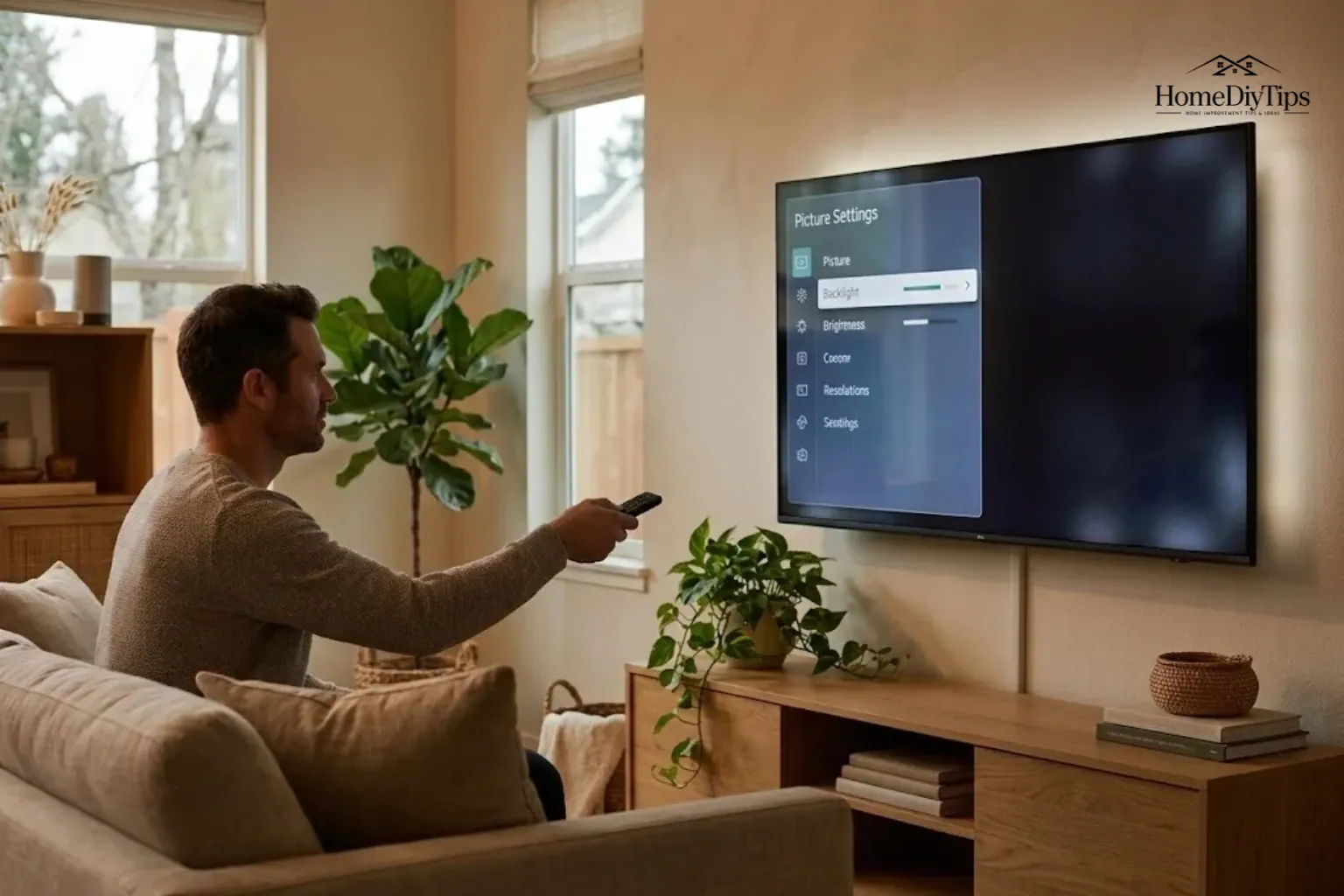
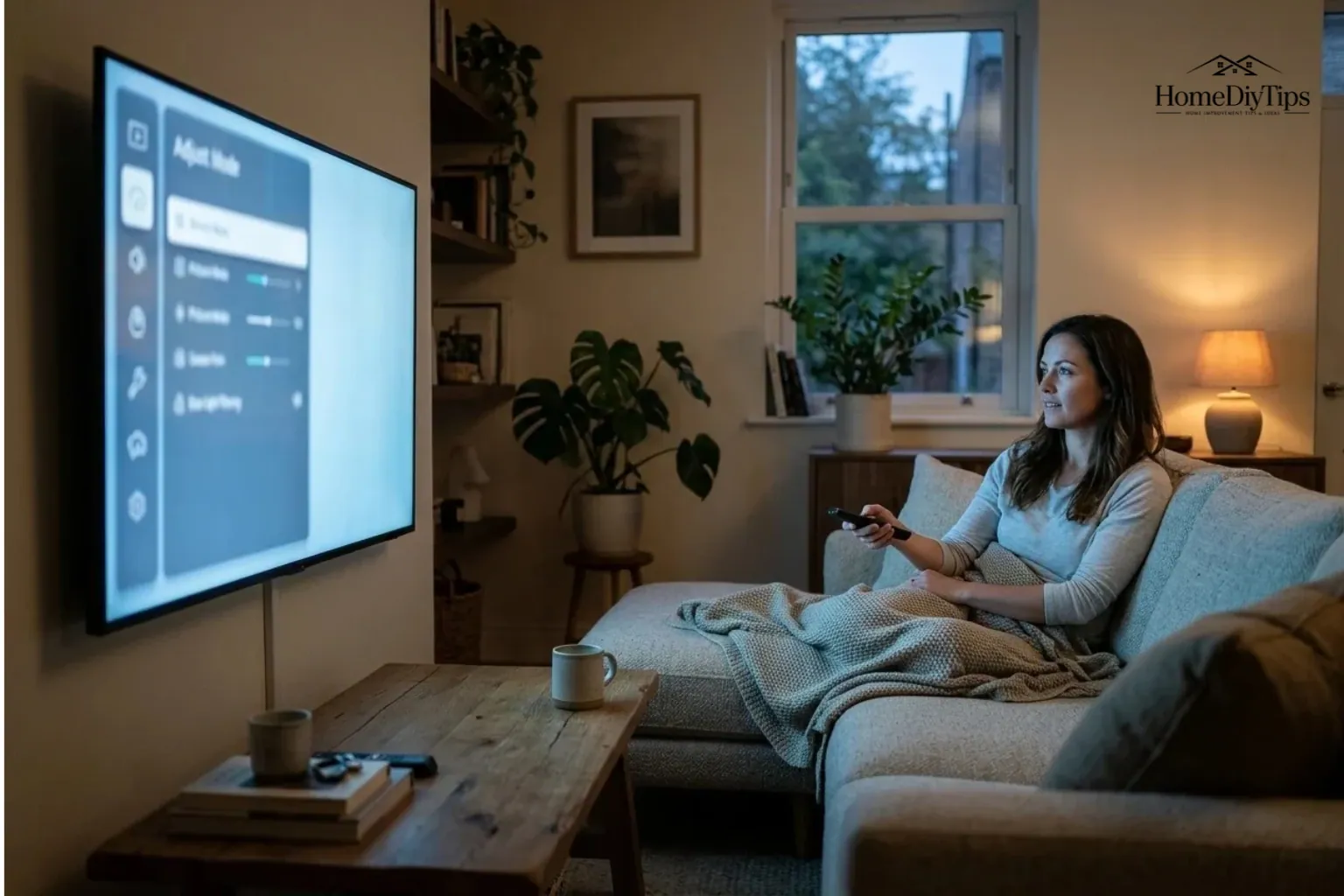
Does TV Have Blue Light? Yes, TVs emit blue light. Modern LED, LCD, and OLED televisions produce visible blue light as part of the light that creates the picture. This is normal and does not automatically mean your TV is harmful to your eyes.
The main concern is how you use your TV, especially in the evening. Bright light at night may affect your body’s sleep timing, while long viewing sessions can contribute to eye discomfort. The good news is that you can try several simple changes before buying a new television or a separate blue-light filter.
Short definition
Yes, modern TVs emit blue light as part of the visible light that creates images. Evening exposure may affect sleep, but ordinary screen-level blue light has not been shown to damage retinas during normal use.
Experience
If your TV feels too bright at night, try lowering the brightness and switching to a warm picture mode before buying a filter. Warm settings can change picture colors, and no setting guarantees better sleep or removes all blue light.
Quick TV Comfort Checklist
- Check the settings: Look for Blue Light Filter, Low Blue Light, or Eye Comfort Mode.
- Try warm colors: A warm picture mode may reduce blue tones but can affect color accuracy.
- Adjust brightness: Reduce excessive screen brightness, especially in a dark room.
- Manage evening light: Consider turning off the TV earlier if nighttime viewing affects your sleep.
- Check your model: Available settings vary by brand, model, and software version.
Important: These adjustments may improve viewing comfort, but they do not eliminate all blue light or guarantee better sleep.
Do TVs Emit Blue Light?
Yes. Most modern televisions emit blue light because it is one part of the visible light used to display images and colors. Blue light is not limited to phones, tablets, or computer monitors. It also comes from TVs, LED lamps, and natural daylight.
Visible blue light has shorter wavelengths than red light. It plays a normal role in how people see colors and how the body responds to light during the day.
How does a TV produce blue light?
The exact process depends on the screen technology.
LED and LCD TVs: LCD stands for liquid crystal display. These TVs use a backlight that shines through layers of the screen to produce an image. The backlight often uses LEDs, which produce light containing blue wavelengths. Color filters and other screen components help create the final picture.
OLED TVs: OLED stands for organic light-emitting diode. These screens use light-emitting pixels instead of a separate traditional backlight. Different OLED designs produce their colors in different ways, but they still emit blue light.
This means switching from an LCD TV to an OLED TV does not eliminate blue light.
The amount and wavelengths of blue light can vary between models, picture settings, and viewing conditions. A TV displaying a bright white image may produce a different light spectrum from one showing a mostly dark scene.
For a closer look at measured differences, see the RTINGS investigation of blue light from TVs. Its measurements compare specific television models, so they should not be treated as a universal ranking of every TV.
Does emitting blue light mean a TV is dangerous?
No. The presence of blue light alone does not establish that a screen is harmful.
Blue light is part of normal visible light. The important questions are how much light reaches your eyes, when you receive it, how long you watch, and whether the viewing conditions cause discomfort.
You do not need to stop watching television simply because it emits blue light. Instead, consider whether your screen is too bright for the room, whether you watch close to bedtime, and whether you experience ongoing discomfort.
Can Blue Light From a TV Damage Your Eyes?
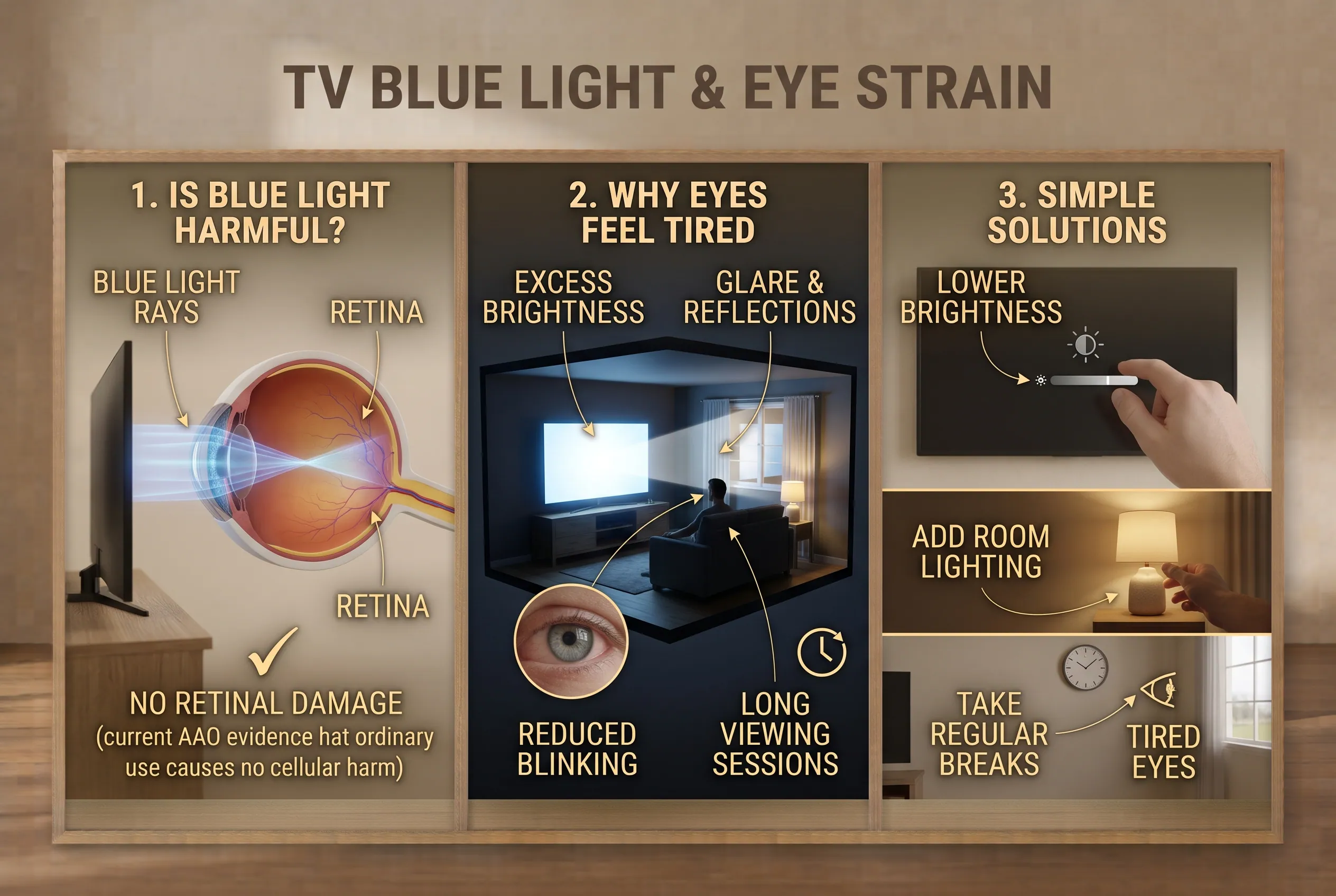
Current evidence does not establish that ordinary blue light exposure from digital screens damages the human retina during normal use. The American Academy of Ophthalmology discusses this issue in its guidance on blue light and digital eye strain.
However, this does not mean every viewing habit is comfortable or that every light exposure is harmless under all conditions.
Why can your eyes feel tired after watching TV?
Eye discomfort can have several causes. Blue light is not the only possible explanation.
Common causes include:
- Excessive brightness: A very bright picture can feel uncomfortable, especially in a dark room.
- Glare: Reflections from windows, lamps, or shiny surfaces can make the image harder to view.
- Long viewing sessions: Staring at a screen for a long time may leave your eyes feeling tired.
- Reduced blinking: People may blink less often during screen use, which can contribute to dry or irritated eyes.
- Existing vision problems: An uncorrected vision problem can contribute to headaches, blurred vision, or trouble focusing.
For example, suppose your eyes feel uncomfortable when you watch a bright TV in a dark bedroom. Lowering the brightness and adding gentle room lighting may be a more useful first step than purchasing a blue-light filter.
What should you do if your eyes hurt while watching TV?
Start with the simplest changes.
First, reduce the picture brightness if the screen seems too intense. Next, check whether a lamp or window is creating reflections. You can also take breaks during long viewing sessions and look away from the screen regularly.
If you experience persistent eye pain, blurred vision, frequent headaches, or continuing dryness, arrange an eye-care assessment. A TV setting cannot diagnose or treat every cause of these symptoms.
Can Watching TV at Night Affect Your Sleep?
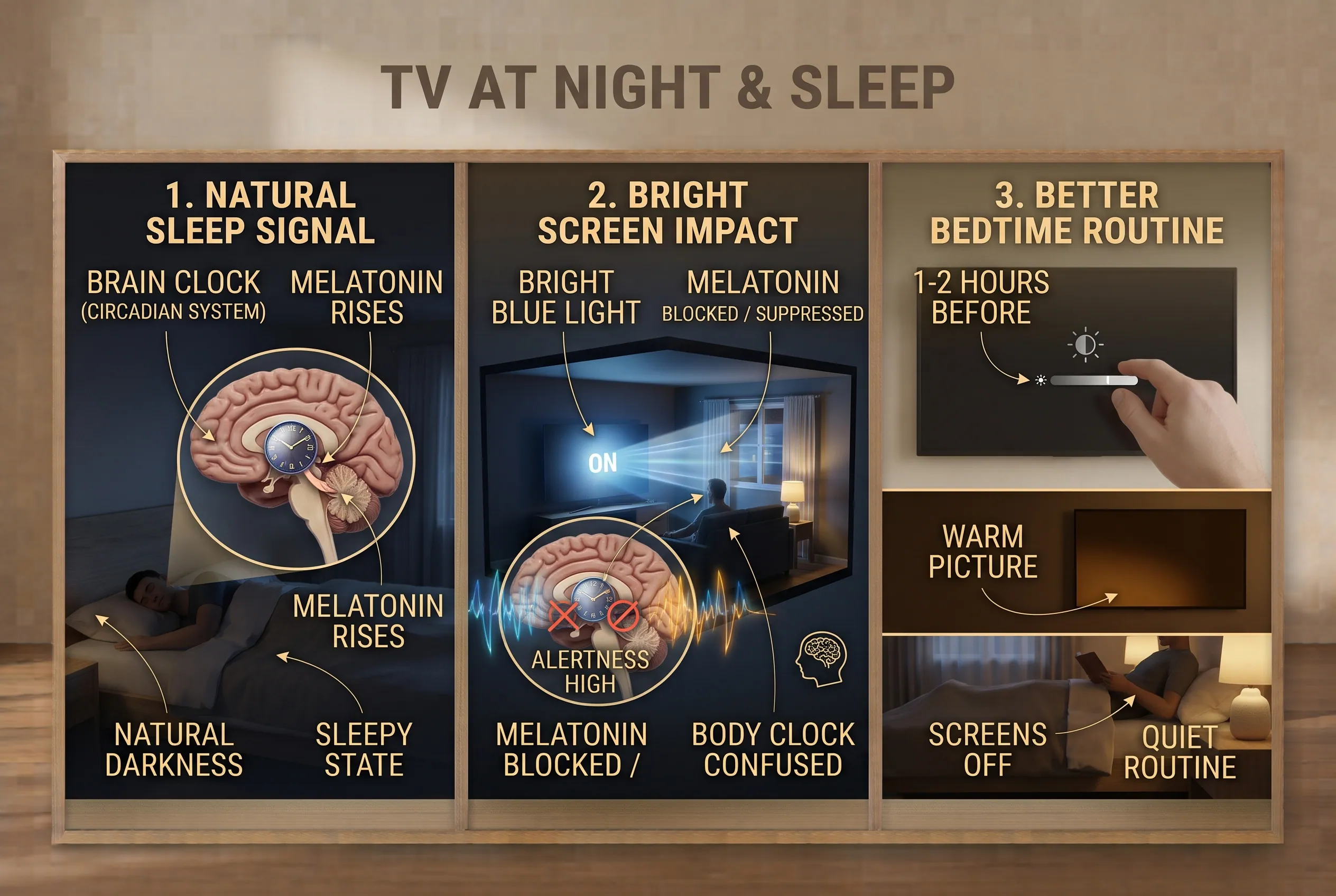
Yes, evening TV viewing can affect sleep for some people. Light exposure at the wrong time may influence the body’s internal clock, which helps regulate when you feel awake and when you feel sleepy.
The body uses light and darkness as signals. In the evening, bright light can interfere with the normal timing of melatonin, a hormone involved in sleep regulation.
The National Heart, Lung, and Blood Institute explains how managing light exposure and following regular sleep habits can support healthy sleep timing.
Why does TV blue light matter before bed?
The body’s response to light depends on several factors, including brightness, wavelength, duration, and timing.
Research published in Communications Biology examined evening display light under controlled conditions. The study found that reducing melanopic light exposure—a measure of light relevant to the body’s circadian system—was associated with changes in melatonin suppression, alertness, and the time needed to fall asleep. The participants were healthy males, and the study did not directly test ordinary living-room TV viewing.
This research supports the idea that evening screen light can matter. It does not prove that every person who watches TV before bed will have trouble sleeping.
Your routine also matters. Watching a dim TV from across the room may create a different light exposure from holding a bright phone close to your face. The content you watch, your usual bedtime, and your sensitivity to light may also affect your experience.
How long before bed should you turn off your TV?
There is no single cutoff that works for everyone.
A reasonable starting point is to reduce bright light during the last hour or two before bedtime. You could turn the TV off earlier, lower its brightness, use a warmer picture setting, or choose a quieter bedtime routine without a screen.
The CDC’s guidance on light and circadian rhythms explains why reducing bright light in the evening can help protect normal sleep timing.
If you enjoy watching a show before bed, you do not necessarily need to remove that habit completely. Try reducing the light and stopping earlier for several evenings. Notice whether falling asleep feels easier or your sleep routine becomes more regular.
Is TV Blue Light as Bad as Phone Blue Light?
A TV and a phone can both emit blue light, but neither device is automatically worse for everyone. The amount of light reaching your eyes depends on the device, brightness, distance, and time spent using it.
A phone is usually held much closer to your face. A TV is normally viewed from farther away. That difference affects the viewing experience, although it does not mean every TV produces less blue light than every phone.
| Factor | Television | Phone |
| Typical viewing distance | Across a room | Close to the face |
| Common use | Longer viewing from a fixed position | Short checks or extended close-up use |
| Brightness | Often adjustable through picture settings | Often adjustable through display settings |
| Evening use | May keep the room bright or extend viewing time | May expose the eyes to a bright screen held close |
| Common comfort issues | Glare, excessive brightness, long sessions | Glare, close focusing, long sessions, reduced blinking |
| Ways to reduce exposure | Lower brightness, warm picture mode, limit late viewing | Lower brightness, enable supported display filters, limit late viewing |
Is a TV better for your eyes than a phone?
It depends on how you use each device.
A TV viewed from a comfortable distance may be less demanding for close focusing than a phone held nearby. However, a large, bright TV in a dark room can still feel uncomfortable, and watching it late into the night may affect sleep.
A phone with reduced brightness and a suitable viewing routine may be more comfortable than an excessively bright television.
Focus on the conditions you can control. Keep the screen at a comfortable distance, avoid unnecessary brightness, take breaks, and pay attention to how nighttime use affects your sleep.
Do LED, LCD, and OLED TVs Emit Different Amounts of Blue Light?
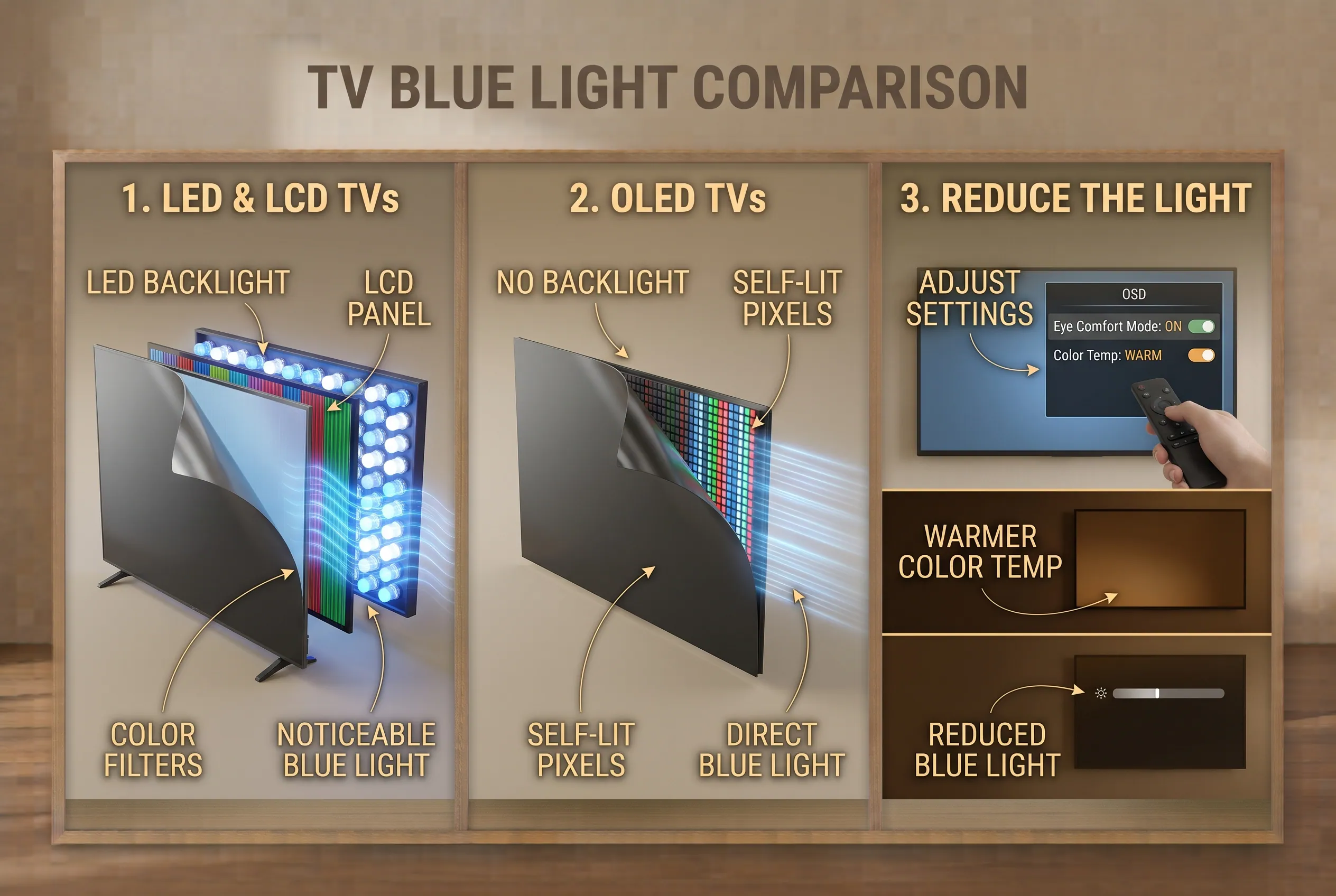
Yes, their light output can differ. However, display technology alone does not tell you whether a TV will cause discomfort or affect your sleep.
LED and LCD TVs
Most modern LED TVs use an LED backlight behind an LCD panel. The light passes through screen layers that control the image.
These models can produce noticeable amounts of blue light, but their output varies. Backlight design, picture settings, brightness, and the displayed image all matter.
A TV with a cool picture mode may look more blue than one with a warm color temperature. That visual difference can help you choose a picture you prefer, but appearance alone does not measure the exact amount of blue light.
OLED TVs
OLED TVs use pixels that emit their own light. Some designs use white light with color filters, while others use different combinations of light-emitting elements and color-conversion technology.
Measurements from specific OLED TVs can differ from those of particular LED models. However, there is no sound basis for saying that every OLED TV emits less relevant blue light than every LED TV.
OLED screens still emit blue light. They are not a guaranteed solution for sleep problems or eye discomfort.
Which display type should you choose?
Choose a TV based on the features and picture quality that matter to you, including screen size, brightness, room conditions, cost, and available settings.
If blue-light reduction is important to you, check the actual model’s specifications and whether its software includes an eye-comfort or reduced-blue-light option.
Do not replace an otherwise suitable television solely because it uses LCD or OLED technology. Try adjusting your existing TV first. The result may be enough to make the viewing experience more comfortable without the expense of a new screen.
How to Reduce Blue Light on Your TV
You can often make useful changes through your existing TV settings. Start with the options already available, and change one setting at a time so you can tell what makes a difference.
Step 1: Look for a blue-light or eye-comfort setting
Use your remote control to open the TV’s settings menu. Look under sections such as Picture, Display, General, or Intelligent Mode.
Depending on the brand and model, you may see a feature called:
- Blue Light Filter
- Reduce Blue Light
- Low Blue Light
- Eye Comfort Mode
- EyeComfort Mode
Not every TV has a dedicated filter. Some models offer only color-temperature controls or broader picture modes.
Turn the feature on if it is available and compare the image with your previous settings. Look for a comfortable picture rather than expecting all blue light to disappear.
Step 2: Try a warm color temperature
Color temperature controls whether a picture looks cooler and more blue or warmer and more yellow or red.
A warm setting can reduce the blue appearance of the picture. On some TVs, it may also reduce blue output, although the amount varies by model and setting.
You might find a warmer picture more comfortable at night. However, colors may look less accurate, especially if you are watching content that relies on natural color reproduction.
Try the Warm, Movie, or Cinema picture option if your TV offers it. Compare the results with your usual setting and keep the option that suits your viewing needs.
Step 3: Adjust picture brightness
Blue-light reduction and brightness adjustment are not the same thing.
A blue-light setting changes aspects of the light spectrum. Brightness controls how much light the screen produces or how bright the image appears, depending on the TV and its settings.
If the picture feels too intense, reduce brightness or the appropriate backlight or OLED light control. The menu name varies by model.
Make the change while watching your usual content in your normal room lighting. If the picture becomes too dark to enjoy, increase it slightly.
Your goal is a comfortable image, not the lowest possible brightness.
Step 4: Check the picture in your normal room lighting
A picture setting that looks good in daylight may feel too bright at night. Likewise, a very warm picture may look unusual when the room is brightly lit.
Test the settings at the times you normally watch TV. Check for glare and reflections, and consider using gentle room lighting instead of watching a bright screen in complete darkness.
If the TV has an automatic eye-comfort feature, check the manual to understand whether it adjusts according to ambient light, time of day, or another condition.
Step 5: What if your TV has no blue-light filter?
You still have practical options.
Reduce excessive brightness, try a warmer picture mode, manage room lighting, and limit strong screen light close to bedtime. These adjustments can help even when the TV does not offer a dedicated blue-light filter.
A separate physical filter or new television is not automatically necessary. Before buying anything, check the manual for your exact model and determine whether your main concern is sleep, glare, or eye discomfort.
Which TV Brands Have Blue-Light or Eye-Comfort Settings?
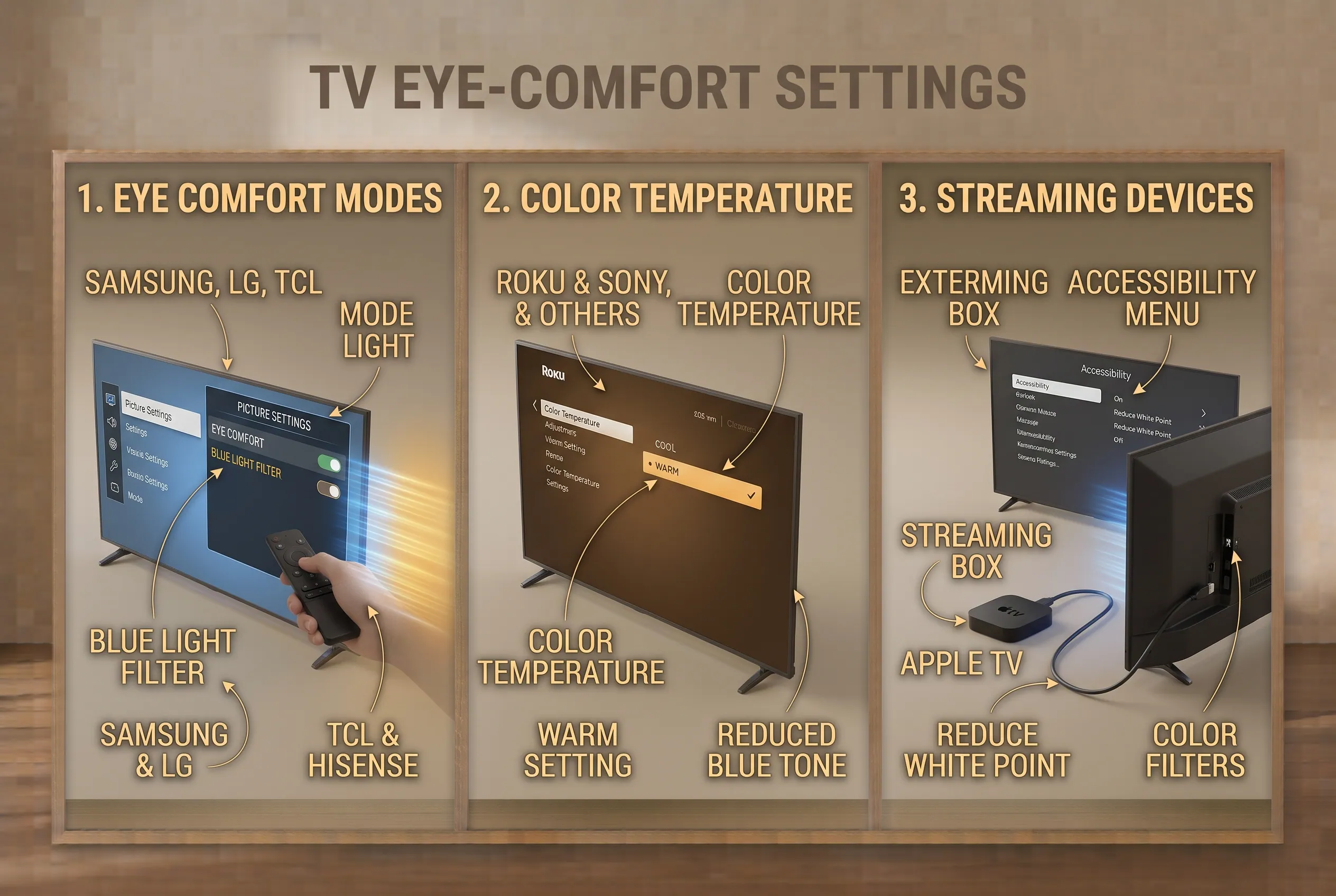
Several manufacturers offer features that reduce blue tones or adjust the picture for more comfortable viewing. Availability depends on the TV model, software version, and sometimes the picture mode or input being used.
Samsung TVs
Some Samsung TVs offer EyeComfort Mode. On supported models, the feature can adjust the picture based on settings related to ambient conditions and time of day.
The exact controls and menu path vary. Start with the TV’s Picture or Intelligent Mode settings, then consult Samsung’s official EyeComfort guidance for compatible models.
If you cannot find the feature, check your model number rather than assuming the TV is missing a setting that all Samsung sets should have.
LG TVs
Supported LG models may provide Reduce Blue Light or Eye Comfort Mode.
LG’s official support instructions document these features on certain software generations. Menu names and locations may differ on newer models.
Enabling the feature can change the picture’s colors. Check whether the result looks comfortable to you, especially if you also use the TV for gaming or other color-sensitive activities.
TCL TVs
Some TCL Google TVs include Blue Light Filter or related eye-health picture settings.
TCL’s Google TV settings guide describes controls available on supported models. It does not establish that every TCL television, including every TCL Roku TV, has the same options.
Check the settings menu and manual for your exact model.
Hisense TVs
Certain Hisense televisions include a Low Blue Light setting.
For example, one documented Google TV model series places the control under Settings, Display & Sound, Picture, and Color. The Hisense user manual explains that features can differ by model and region.
Use those instructions only if they match your TV. Another Hisense model may use different names or may not provide the same control.
Roku TVs
Some compatible Roku TV models provide picture controls for color temperature, including Warm, Normal, and Cool.
These controls can change the blue or warm appearance of the picture. They are not proof that every Roku TV has a separate dedicated blue-light filter.
Roku’s official picture-settings guidance explains the supported controls and requirements.
Sony TVs
Do not assume every Sony television has a dedicated blue-light filter. The available picture and color controls depend on the model.
Check your TV’s picture settings and official Sony manual for the exact model number. If no dedicated filter is listed, a supported warm color-temperature setting and sensible brightness adjustment may still help you find a more comfortable picture.
Apple TV devices
Apple TV is a streaming device, not simply another name for a television screen. Its accessibility features are therefore different from a blue-light filter built into the TV panel.
Apple documents display-related accessibility controls, including color filters and Reduce White Point, for supported Apple TV devices. See the Apple TV display accessibility guide for details.
These options can change how the image appears, but they should not be treated as proof that all blue light is removed. Your television’s own settings may still be useful.
Practical tip: If the setting names in these examples do not match your menu, search the official support site for your exact model number. A feature found on one TV from a brand may not be available on another.
How to Make Evening TV Viewing More Comfortable
Changing your TV settings is only one part of a comfortable viewing routine. A few habits can also help.
Use suitable room lighting
You do not need to watch TV in a completely dark room. Gentle lighting can make the screen feel less harsh, especially if it is bright compared with everything around it.
Avoid placing a lamp where it reflects directly on the screen. If a window creates glare, adjusting curtains or your seating position may help.
Avoid unnecessarily high brightness
A bright picture may be useful in a sunlit room, but it can feel intense at night. Adjust it for the conditions in which you watch.
Do not confuse reducing brightness with removing blue light. The adjustment mainly changes overall light output and may improve comfort even if blue wavelengths remain.
Take breaks during long viewing sessions
Look away from the screen periodically, blink naturally, and give your eyes a chance to relax. If your eyes feel dry, take a longer break rather than forcing yourself to continue watching.
For a television viewed across a room, close-up focusing is usually less of a concern than it is with a phone. Nevertheless, prolonged viewing can still leave some people uncomfortable.
Reduce light near bedtime
If sleep is your main concern, try turning off the TV earlier or reducing its brightness in the last hour or two before bed.
You can also follow a regular bedtime and wake-up schedule. Observe whether changing your evening routine makes falling asleep easier.
Remember that individual responses differ. If you continue to have sleep problems, do not assume that TV blue light is the only possible cause.
Common TV Blue-Light Mistakes to Avoid
A few common misunderstandings can lead to unnecessary purchases or unrealistic expectations.
Assuming a filter removes all blue light. Many settings reduce blue tones or change the spectrum, but you should not assume they eliminate every blue wavelength.
Believing OLED TVs are always safer for the eyes. Display measurements vary, and a panel type alone does not establish whether a TV is medically safer.
Blaming blue light for every headache or dry eye. Brightness, glare, reduced blinking, prolonged viewing, and existing vision problems may also contribute.
Expecting a warm picture to solve every sleep problem. A warmer image may reduce some blue-light exposure, but viewing time, overall brightness, and bedtime habits still matter.
Buying a new TV before checking your current settings. Many people can try warmer colors, lower brightness, and better room lighting without replacing their television.
Frequently Asked Questions
Does every TV have a blue-light filter?
No. TVs emit blue light, but not all TVs have a dedicated blue-light filter. Some models provide eye-comfort or reduced-blue-light settings, while others offer only picture modes and color-temperature controls.
Does warm mode remove all blue light?
No. Warm mode changes the picture’s color balance and may reduce blue output, depending on the model. It does not guarantee that all blue light is removed.
Should you buy blue-light glasses for watching TV?
Do not assume you need blue-light glasses just because your TV emits blue light. Current evidence does not establish that ordinary screen-level blue light damages the retina, and filters or glasses are not a guaranteed solution for digital eye discomfort. If symptoms persist, seek appropriate eye-care advice.
How long before bed should you stop watching TV?
There is no universal cutoff. Try reducing bright light during the last hour or two before bedtime, or turn off the TV earlier if you find it affects your sleep. Adjust the routine based on your own response.
A Simple Plan for More Comfortable TV Viewing
Start with the TV you already own. Check whether it offers an eye-comfort or blue-light setting, try a warmer picture mode, and reduce excessive brightness if the screen feels too intense. Use suitable room lighting and reduce evening screen light when preparing for sleep.
You do not have to stop watching TV simply because it emits blue light. Focus on comfortable viewing conditions, sensible evening habits, and reliable evidence rather than assuming that every television is harmful or that one filter can solve every problem.
Disclaimer
TV models, viewing conditions, and individual needs vary, so settings that feel comfortable for one person may not suit another. For ongoing eye pain, blurred vision, or persistent sleep problems, seek advice from an appropriate health professional.