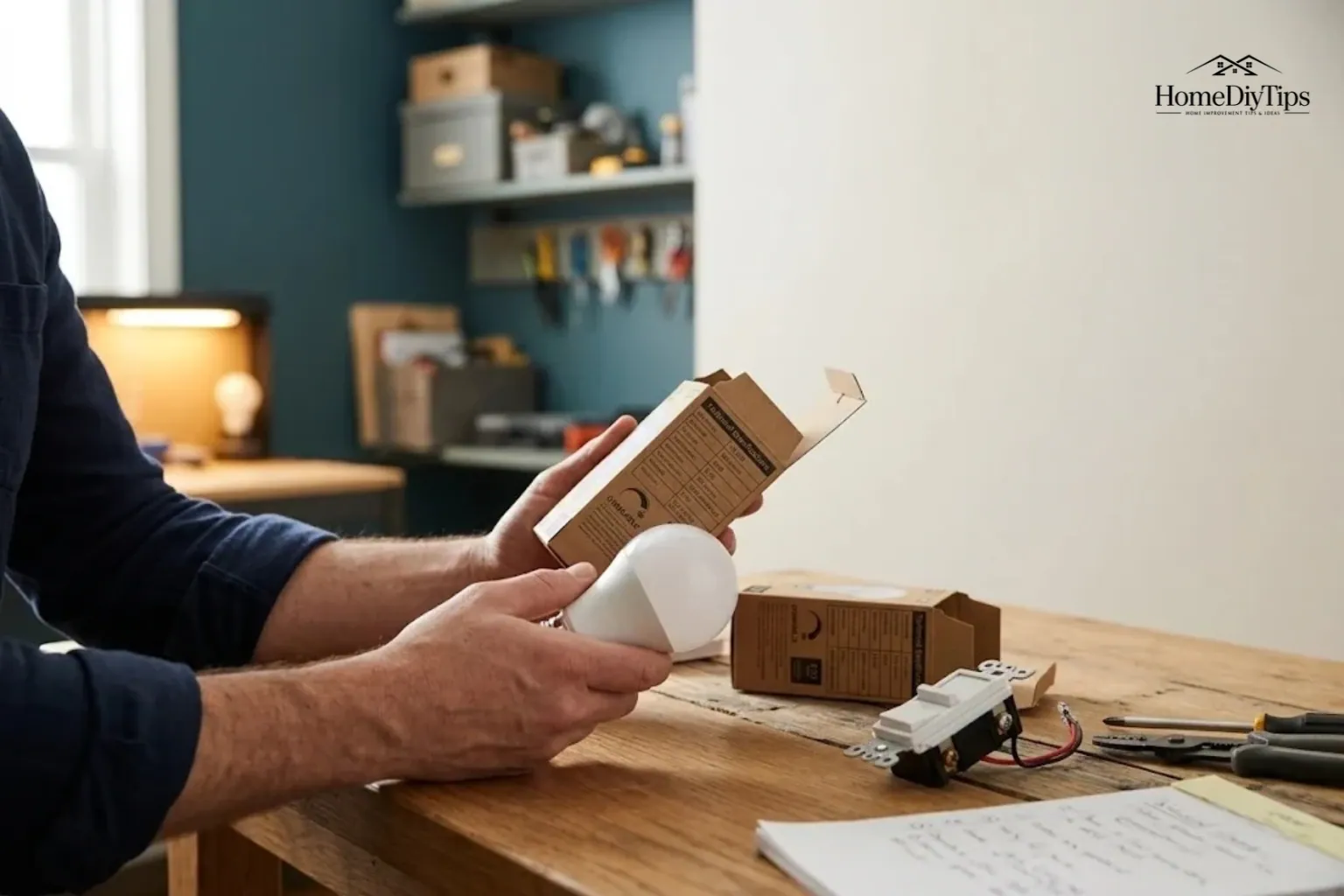
No, not all LED bulbs are dimmable. Some LED bulbs let you adjust their brightness with a compatible dimmer switch, while others are designed to work only at full brightness. You can usually find this information on the bulb’s packaging, product label, or manufacturer’s website.
However, checking for the word “dimmable” is only the first step. Even a dimmable LED bulb may flicker, buzz, or fail to reach a low brightness level if it does not work properly with your existing dimmer switch.
Before buying new bulbs or replacing a wall switch, check three things: whether the bulb supports dimming, whether the dimmer is compatible with that bulb, and whether the connected electrical load falls within the dimmer’s limits. These simple checks can help you avoid buying the wrong product or making an unnecessary change to your lighting system.
Direct Answer
Not all LED bulbs are dimmable. Check the package or manufacturer’s specifications, then confirm that the bulb works with your specific dimmer switch. Compatibility matters even when a bulb is labeled dimmable.
Experience
Check the bulb model and dimmer model before replacing several bulbs at once. A “dimmable” label means the bulb supports dimming, not that it will work smoothly with every dimmer. If lights flicker or buzz, verify the compatibility list before buying more parts.
Are All LED Bulbs Dimmable?
No. Some LED bulbs are dimmable, but others are not. The difference depends on the bulb’s design and the electronic components that control how it uses electricity.
LED stands for light-emitting diode. It is a type of light source that produces light when an electrical current passes through it. Unlike a traditional incandescent bulb, an LED bulb needs electronic components to convert and control the electricity it receives.
One important component is the LED driver. It regulates the electrical power supplied to the LED. In a dimmable bulb, the driver must also support the dimming method used by the compatible control.
A non-dimmable LED bulb is not designed to work properly with a conventional dimmer. Reducing the electrical power in the wrong way may cause unstable light output, flickering, buzzing, or other unwanted behavior.
Dimmable vs. non-dimmable LED bulbs
| Feature | Dimmable LED bulb | Non-dimmable LED bulb |
| Brightness control | Supports dimming with compatible equipment | Designed for normal full-output operation |
| Wall dimmer use | Suitable with a compatible dimmer | Should not be used with a conventional dimmer |
| Low brightness | Range depends on the bulb and dimmer combination | Dimming performance is not supported |
| Product label | Usually marked “dimmable” | Usually marked “non-dimmable” or lacks a dimmable claim |
| Best buying approach | Check both bulb and dimmer compatibility | Use with a suitable standard on/off switch |
A dimmable bulb can be useful in a living room, bedroom, dining area, or other space where you want bright light for some activities and softer light for others.
For example, you might use brighter lighting while cleaning a room and lower lighting while watching a movie. A compatible dimmable bulb and dimmer can provide both settings without changing the bulb.
The key point is simple: LED describes the lighting technology, not whether the bulb can be dimmed. Always check the specifications of the exact product you plan to buy.
The U.S. Department of Energy’s guide to energy-efficient light bulbs is a useful starting point for understanding bulb features and choosing products for your home.
How to Tell If an LED Bulb Is Dimmable
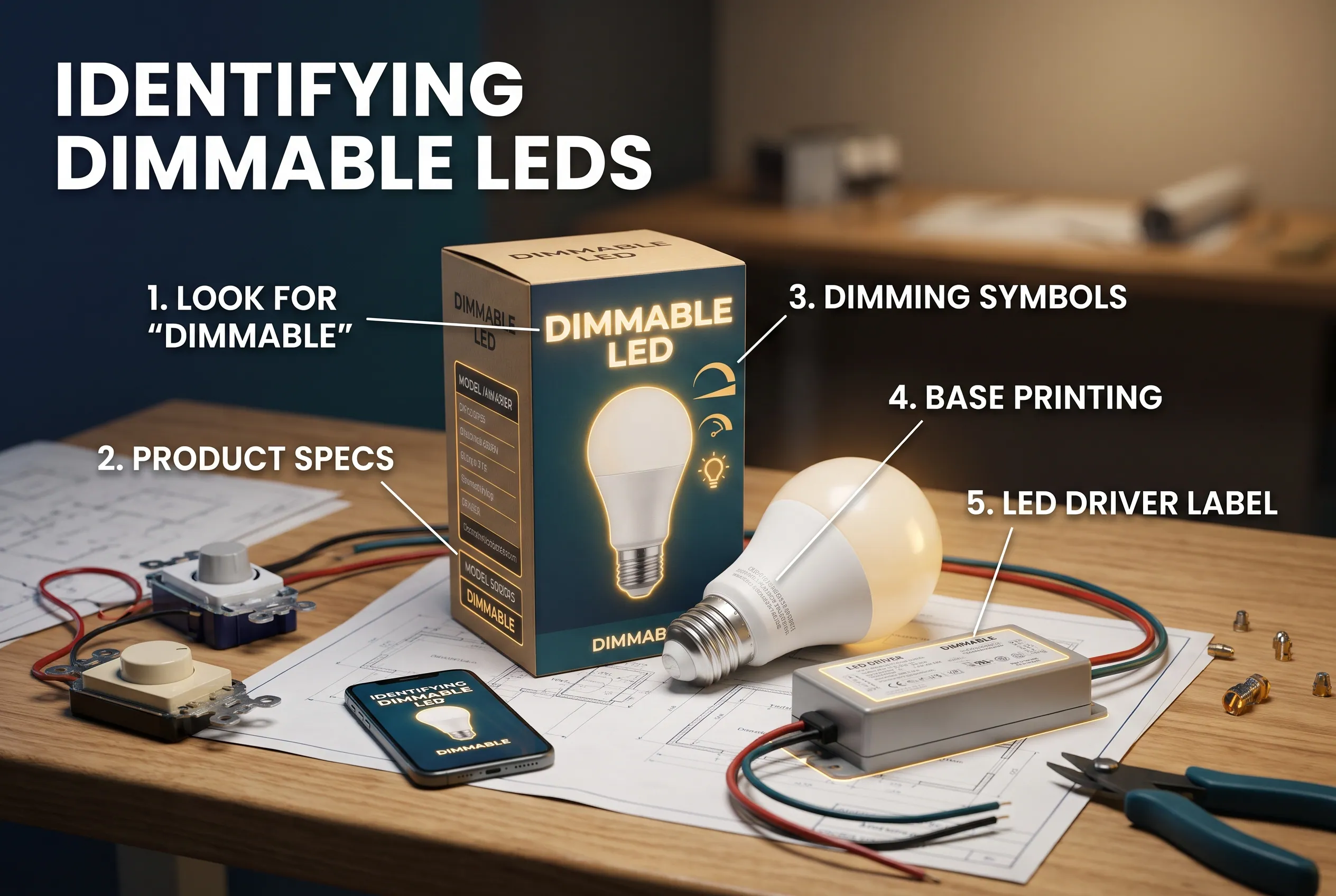
The easiest way to identify a dimmable LED bulb is to check its packaging. If the information is unclear, look up the exact product model on the manufacturer’s website.
Follow these steps before buying a replacement bulb.
Step 1: Look for the word “dimmable”
Check the front, back, and sides of the package. Manufacturers usually state whether a bulb supports dimming in the product description or specifications.
Look for wording such as:
- Dimmable LED bulb
- Compatible with dimmer switches
- Dimmable with approved LED dimmers
If the packaging says “non-dimmable,” do not use that bulb with a conventional wall dimmer.
If you cannot find any information about dimming, do not assume the bulb is dimmable simply because it is an LED. Check the manufacturer’s website or contact its support team.
Step 2: Check the bulb’s product specifications
Sometimes the package does not provide enough detail. The manufacturer’s product page or manual may explain which controls work with the bulb.
Check the exact model number rather than relying only on the brand name. One manufacturer may sell dimmable and non-dimmable bulbs that look almost identical.
You should also check whether the product is intended for a particular type of fixture or lighting system. A bulb’s suitability for an enclosed fixture, for example, is a separate question from its dimming capability.
Step 3: Understand the dimmable symbol on bulbs
There is no single symbol that should be treated as a universal guarantee for every LED product. The clearest indication is an explicit “dimmable” statement in the product specifications.
You may see a dimming-related icon or a graphic showing a range of brightness levels. Packaging varies by manufacturer, so read the accompanying words rather than relying on the icon alone.
Some bulbs have extra information about compatible dimmers or approved controls. Keep that information because it may help you troubleshoot the lights later.
Step 4: Check the LED driver label when necessary
Some LED fixtures and lighting systems use a separate driver. Its label may include the model number, electrical ratings, and supported dimming method.
The label can help you identify the right replacement driver or control. However, a marking on the driver does not automatically prove that every bulb or fixture connected to it will work with every dimmer.
For a built-in LED fixture, consult the fixture manual. For a separate driver, consult both the driver documentation and the lighting product specifications.
If the necessary information remains unclear, choose a product with clear manufacturer documentation rather than guessing.
Will a Dimmable LED Bulb Work With Your Dimmer Switch?
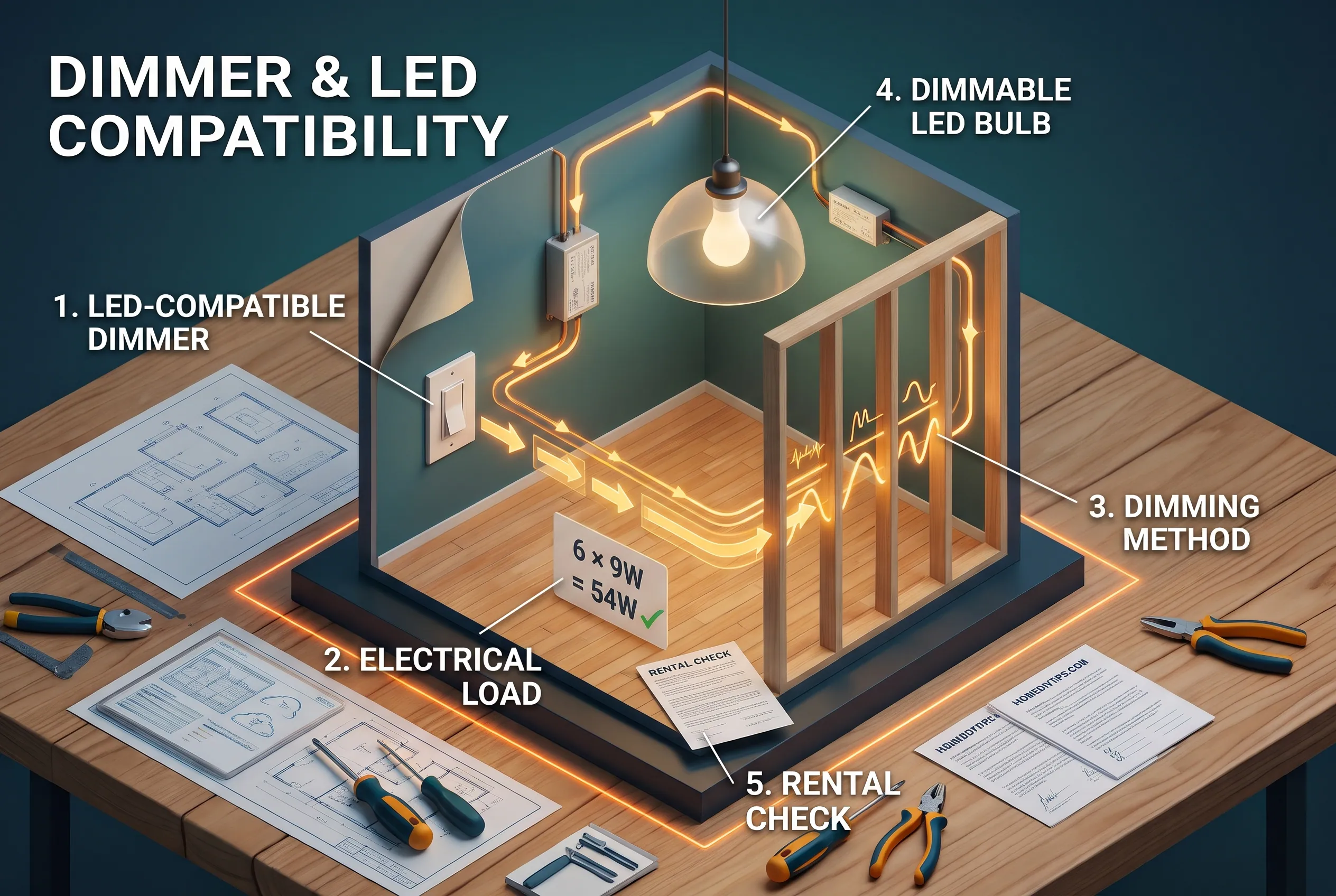
Not always. A bulb may support dimming but still be incompatible with your existing wall dimmer.
A dimmer switch controls the amount of electrical power delivered to the lighting load. Different dimmers use different control methods, and not every LED driver responds well to every method.
Older dimmers designed mainly for incandescent or halogen bulbs can have problems with some LEDs. These dimmers were often designed for loads that used much more electricity than modern LED bulbs.
That does not mean every older dimmer must be replaced. Some older models support certain LEDs, and compatibility depends on the exact equipment.
Check the dimmer’s LED compatibility
Look at the dimmer’s model number and product documentation. Check whether the manufacturer lists it as suitable for LED bulbs.
Then see whether the bulb manufacturer provides a compatibility list or tool. Some manufacturers test particular combinations of bulbs and dimmers because two products can behave differently when used together.
For example, a bulb may dim smoothly with one LED-compatible dimmer but flicker near its lowest setting with another.
You can consult the Lutron LED compatibility FAQs and Feit Electric’s dimmer compatibility guidance for examples of manufacturer-specific checks.
Check the minimum and maximum load
A dimmer switch has limits on the electrical load it can control. The minimum load is the lowest supported load, while the maximum load is the highest supported load under the applicable rating.
LED bulbs often use far less electricity than incandescent bulbs. As a result, several LEDs may not behave like the same number of higher-wattage incandescent bulbs on an older control.
Check the dimmer’s stated LED rating rather than relying on its incandescent rating alone.
For example, suppose a room has six LED bulbs rated at 9 watts each. Their combined actual load is:
6 × 9 watts = 54 watts.
That calculation helps you understand the connected load, but it does not by itself prove compatibility. You must still confirm the dimmer’s LED rating, any minimum-load requirement, and the manufacturer’s guidance for your particular combination.
Do not assume that a dimmer with a high incandescent-wattage rating can handle the same total wattage of LEDs.
Check the dimming method
You may encounter terms such as leading-edge and trailing-edge dimming. These refer to different ways a dimmer controls the electrical waveform supplied to a light.
The details are technical, and you usually do not need to choose a method by yourself. The practical rule is to follow the bulb or fixture manufacturer’s instructions and use a compatible dimmer.
A trailing-edge dimmer is not a universal solution for every LED. The correct choice depends on the driver, the bulb, and the dimmer’s supported specifications.
What if you rent your home?
If your rental home has a wall dimmer, check compatibility before buying a whole set of replacement bulbs. You may be able to solve the issue by choosing the correct bulbs instead of changing the wall switch.
If the dimmer needs replacement, ask the property owner or manager before making electrical changes. Replacing a hardwired wall control may require permission and appropriate electrical work.
Are E26, E27, GU10, G4 and G9 LED Bulbs All Dimmable?
No. The bulb base does not tell you whether the bulb supports dimming.
Base codes describe the connection used to fit a bulb into a socket. For example, E26 is a common screw base in the United States, while GU10 is often used for spotlight-style bulbs.
Manufacturers produce dimmable and non-dimmable products in many different base types. Check the specifications for the exact bulb you intend to use.
| Bulb type | Where you may see it | What to check |
| E26 LED | Common household lamps and fixtures in the U.S. | Dimmable label, bulb model, and compatible dimmer |
| E27 LED | Screw-base lighting, including products sold in many other markets | Exact product specifications and socket suitability |
| GU10 LED | Spotlights and some ceiling fixtures | Dimming support and compatibility with the fixture’s control |
| G4 LED | Small specialty fixtures | Product-specific dimming and driver requirements |
| G9 LED | Compact decorative or specialty fixtures | Dimming support, fixture rating, and compatible control |
An E26 bulb that fits your lamp is not automatically dimmable. Likewise, a GU10 spotlight may support dimming while another GU10 model does not.
The same rule applies to IKEA LED bulbs and products from other brands. Check the model rather than assuming all bulbs from a manufacturer share the same features. You can browse the current IKEA U.S. LED bulb range to see how product descriptions identify individual bulb specifications.
What does “100W equivalent” mean on an LED bulb?
A 100W-equivalent LED is designed to produce brightness similar to a traditional 100-watt incandescent bulb. It usually consumes much less than 100 watts of electricity.
The equivalent rating describes approximate brightness, not dimming capability. A 100W-equivalent LED may be dimmable or non-dimmable, depending on its design.
Check the package for both the actual wattage and the dimming information. If you plan to use the bulb with a dimmer, confirm that its actual electrical load falls within the dimmer’s supported range.
How to Fix Flickering, Buzzing or Poorly Dimming LED Lights
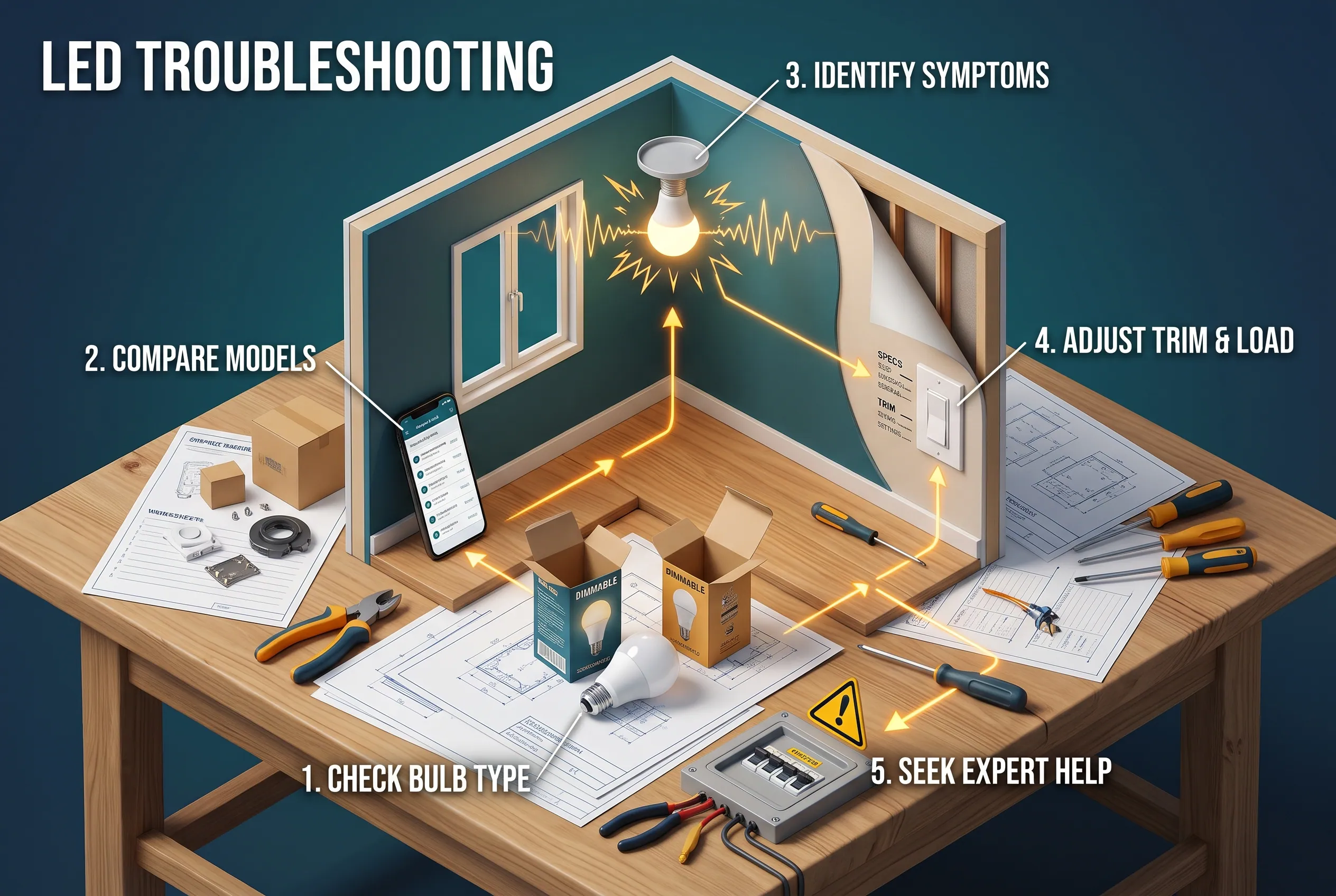
If your LED lights flicker or make a buzzing sound when dimmed, the bulb may not be faulty. The problem could involve an incompatible dimmer, an unsuitable load, or the way the bulb behaves at a low brightness setting.
Start with basic checks before replacing equipment.
Step 1: Check whether the bulb is dimmable
Turn the light off and allow the bulb to cool before handling it. Check the packaging, bulb markings, or manufacturer specifications.
If the bulb is marked non-dimmable, stop using it with a conventional dimmer. Select a suitable bulb or have the control checked as appropriate.
Do not open the bulb, remove an electrical fixture’s cover, or handle wiring to investigate the problem.
Step 2: Check the bulb and dimmer models
Find the model number on the bulb package and the dimmer documentation. Compare them with the manufacturer’s compatibility information.
A dimmable LED and an LED-compatible dimmer can still make a poor combination. The manufacturer’s tested compatibility list is more useful than choosing products based only on appearance or brand.
If the bulbs were recently replaced, compare their model numbers with those of the previous bulbs. A similar shape and brightness rating do not guarantee identical dimming behavior.
Step 3: Notice when the problem happens
Different symptoms can provide useful clues.
- Flickering at all brightness levels: Check product compatibility and consider whether the problem affects one light or several.
- Flickering only at low brightness: The bulb and dimmer may not work well together near the bottom of the dimming range.
- Buzzing or humming: The sound may come from the bulb, dimmer, or their interaction. Check the manufacturer’s troubleshooting guidance.
- Lights switching off unexpectedly: Check whether the products are compatible and operating within their published ratings.
- Uneven brightness across several bulbs: Confirm that the bulbs have suitable specifications and are supported by the same dimmer.
These symptoms are clues, not proof of a particular fault. A qualified electrician should investigate persistent or unexplained electrical problems.
Step 4: Check the load and supported settings
Review the dimmer’s instructions for its minimum and maximum LED load. Confirm that the total connected load is within the supported limits.
Some compatible dimmers provide an adjustment for the lowest brightness setting. This is sometimes called low-end trim. It lets the user set a minimum output that helps the connected lights remain stable.
Only make this adjustment if the manufacturer’s instructions for your exact dimmer allow it. Do not assume that every wall control has the same feature or settings.
Lutron explains some of these product-specific checks in its guide to troubleshooting flickering and flashing LED lights.
Step 5: Know when to stop
If the correct bulb and dimmer are supposed to be compatible but the problem continues, do not keep buying replacement bulbs without a clear reason.
Persistent flickering, unusual electrical sounds, overheating, burning smells, or unexplained switching behavior may need professional investigation. Turn off the affected lighting circuit if there are signs of an electrical fault, and seek qualified help.
Changing bulbs is a reasonable first step when the product is accessible and safe to handle. Repairing wiring or replacing a hardwired dimmer is a different task.
Are LED Strips and Ceiling LED Lights Dimmable?
Some LED strips and ceiling lights are dimmable, but their requirements may differ from those of ordinary screw-in bulbs.
LED strips
An LED strip is a flexible circuit board with small LEDs attached along its length. It often relies on a separate power supply and may need a compatible dimmer or controller.
Before buying a strip, check whether its power supply and controller support the dimming method you want. A dimmer that works with a standard bulb may not work with the strip’s driver.
Also check whether the strip requires a specific voltage and power supply. Do not connect it to an incompatible controller simply because the connector fits.
Waveform Lighting’s LED strip support guidance explains why power supplies and dimming methods need to match the strip system.
Ceiling lights and recessed fixtures
Some ceiling fixtures accept replaceable dimmable LED bulbs. Others use an integrated LED light source with built-in electronics.
For an integrated fixture, check the complete fixture’s specifications rather than looking only for information about an individual LED chip. Its driver and control system must support dimming.
The same principle applies to retrofit downlights and other fixtures designed to replace older lighting. The ENERGY STAR light fixture guidance provides a useful starting point for checking fixture features.
If your ceiling light is not designed for dimming, changing the wall switch alone may not make it dimmable.
What Can You Use Instead of a Traditional Wall Dimmer?
You do not always need a conventional wall dimmer to adjust brightness. The right alternative depends on the lighting product and how you want to control it.
Smart LED bulbs
Smart bulbs can offer brightness control through a compatible app, remote, or smart-home system. Some also let you change color temperature.
Check whether the bulb is dimmable through its intended controls and follow its instructions for use with existing switches. Many smart bulbs need uninterrupted power to remain connected, so regularly cutting their power with a traditional dimmer or wall switch may prevent their controls from working as intended.
Multi-setting bulbs
Some bulbs provide preset brightness levels through an ordinary on/off switch. Philips SceneSwitch is one example.
This can be useful in a rented home where changing the wall switch is not practical. However, it is not the same as continuously dimming a bulb with a conventional wall dimmer.
Check the product instructions before buying. Philips provides details about its SceneSwitch lighting, including its intended control method.
Compatible wireless controls
Some lighting systems offer a wireless control designed for their bulbs or fixtures. These options may help when you want convenient brightness control without installing a traditional hardwired dimmer.
Confirm which bulbs, hubs, receivers, or controllers the system requires. A wireless control is only useful when the complete setup supports it.
Common Mistakes to Avoid When Buying Dimmable LED Bulbs
A few common assumptions can lead to poor dimming performance or unnecessary spending.
Assuming every LED is dimmable. LED is a lighting technology, not a promise that a product supports brightness control. Check the exact model.
Assuming every dimmable bulb works with every dimmer. Verify compatibility between the bulb and the existing switch. The manufacturer may list supported combinations.
Choosing only by base type. An E26, E27, GU10, G4, or G9 base does not establish dimming support. Check the product description separately.
Using the equivalent wattage to calculate the electrical load. Use the bulb’s actual wattage when checking the connected load, and follow the dimmer’s LED-specific ratings.
Ignoring a separate driver or controller. LED strips and integrated fixtures may require particular components to support dimming.
Replacing the wall switch without checking the bulb. A compatible dimmer cannot make every non-dimmable bulb suitable for dimming. Verify both products before making changes.
Assuming the cheapest bulb will give the best result. Compare brightness, color temperature, fixture suitability, dimming range, warranty, and compatibility. A bulb that works well with your existing equipment may be a better value than a less expensive replacement that creates additional problems.
Frequently Asked Questions
How do I know if my LED light bulbs are dimmable?
Look for the word “dimmable” on the packaging or in the manufacturer’s product specifications. If the label is unclear, check the exact model number online or contact the manufacturer. You should also verify compatibility with your existing dimmer switch.
What happens if you put a non-dimmable LED bulb in a dimmer?
The bulb may flicker, buzz, operate poorly, or fail to respond correctly to brightness changes. Some combinations may also increase the risk of damage or reduce product life. The exact outcome depends on the equipment, so use a non-dimmable bulb only with a suitable non-dimming control.
When should you not use LED bulbs?
Do not use an LED bulb when it is unsuitable for the fixture, its operating conditions, or the required control system. For example, a bulb must have the appropriate rating if the fixture requires a model approved for use in an enclosed space. Check the fixture and bulb instructions rather than assuming every LED fits every application.
Can I make my LED lights dimmable?
Sometimes you can make an existing lighting setup dimmable by using a compatible bulb or replacing an unsuitable control with the correct one. However, a non-dimmable bulb does not automatically become dimmable when you install a new wall switch. The bulb or complete lighting system must support dimming.
For smart or multi-setting bulbs, you may be able to change brightness through the intended app, remote, or wall-switch method without adding a traditional dimmer.
What to Check Before You Buy
Before purchasing dimmable LED bulbs, confirm that the exact bulb supports dimming and that your dimmer switch is compatible with it. Check the actual wattage, the dimmer’s supported load, and any product-specific requirements.
If you already have flickering or buzzing lights, start by checking the bulb label, dimmer model, and manufacturer compatibility list. Replace equipment only when you have a clear reason, and leave unexplained electrical faults to a qualified electrician.
With the right bulb and compatible controls, dimmable LED lighting can give you more flexibility without creating unnecessary problems.
Disclaimer
Lighting products, fixtures, electrical systems, and household needs vary, so check the relevant manufacturer instructions before buying or changing lighting controls. For hardwired dimmer installation, wiring concerns, or persistent electrical faults, consult a qualified electrician.